mirror of
https://github.com/dbeaver/cloudbeaver.git
synced 2026-10-16 06:40:05 +08:00

65 lines
2.9 KiB
Markdown
65 lines
2.9 KiB
Markdown
# CloudBeaver Community
|
|
|
|
<img src="https://github.com/dbeaver/cloudbeaver/wiki/images/cloudbeaver-logo.png" width="250"/>
|
|
|
|
Cloud Database Manager - Community Edition.
|
|
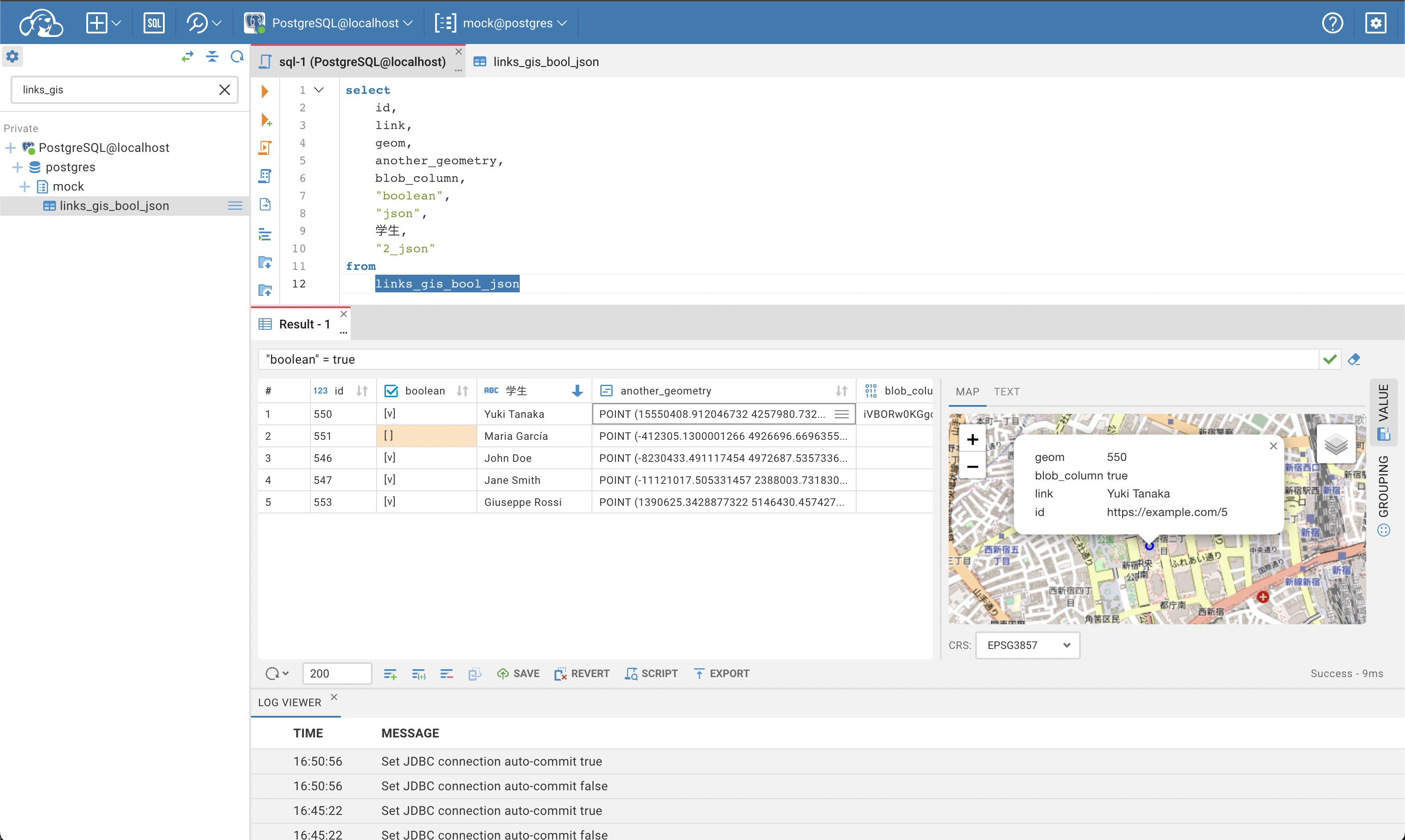
CloudBeaver is a web server which provides rich web interface. Server itself is a Java application, web part is written on TypeScript and React.
|
|
It is free to use and open-source (licensed under [Apache 2](https://github.com/dbeaver/cloudbeaver/blob/devel/LICENSE) license).
|
|
See out [WIKI](https://github.com/dbeaver/cloudbeaver/wiki) for more details.
|
|
|
|
|
|
|
|
## Run in Docker
|
|
|
|
- [Official Docker repository](https://hub.docker.com/r/dbeaver/cloudbeaver)
|
|
- [Running instructions](https://github.com/dbeaver/cloudbeaver/wiki/Run-Docker-Container)
|
|
|
|
## Demo server
|
|
|
|
You can see live demo of CloudBeaver here: https://demo.cloudbeaver.io
|
|
|
|
[Database access instructions](https://github.com/dbeaver/cloudbeaver/wiki/Demo-Server)
|
|
|
|
## Changelog
|
|
|
|
### CloudBeaver 23.0.2 - 2023-04-10
|
|
|
|
- In the SQL editor, when the cursor goes back on the query, the previous hints are displayed.
|
|
- CloudBeaver has the option to connect to H2 database version 2.
|
|
- The internal CloudBeaver database is upgraded to the newest H2 version 2 to avoid vulnerability issues. The database will be safely upgraded automatically for the servers with default configurations. You can perform this upgrade manually if you have a custom configuration for this database in your infrastructure.
|
|
- Different bugs have been fixed.
|
|
|
|
### CloudBeaver 23.0.1 - 2023-03-27
|
|
|
|
- If there is an error in saving the data, the tab for the chosen connection dialog will stay open to allow corrections.
|
|
- Different bugs have been fixed.
|
|
|
|
|
|
### CloudBeaver 23.0.0 - 2023-03-06
|
|
|
|
Changes since 22.3.0
|
|
|
|
- Administration menu:
|
|
- the User dialog displays available connections in alphabetical order,
|
|
- the shared project is now selected by default in the Create connection dialog.
|
|
- Connection dialog:
|
|
- users can now add new driver properties with the applied filter in the Driver Properties tab.
|
|
- Data Editor:
|
|
- edit shortcuts are no longer available for read-only tables.
|
|
- SQL editor:
|
|
- fixed a problem with using Chinese characters,
|
|
- keeps focus inside even in case of errors.
|
|
- Added formatting for execution plan for easy reading.
|
|
- "SQL script manager" in Tools menu is renamed to "Display Script".
|
|
- Every enabled user has permissions to log in.
|
|
- Download button is added on a Value panel of Blob and JSON data.
|
|
- The body of packages in Oracle databases now is displayed.
|
|
- Administrators can grant access to all shared connections to the User team by changing one parameter in the configuration file.
|
|
- A lot of small bug fixes, enhancements and improvements have been made.
|
|
|
|
|
|
### Old CloudBeaver releases
|
|
|
|
You can find information about earlier releases on the CloudBeaver wiki https://github.com/dbeaver/cloudbeaver/wiki/Releases.
|
|
|