 Zeke Zhang
047f88cd24
Zeke Zhang
047f88cd24
* feat(plugins): add client-v2 block plugins

* fix(client-v2): address plugin review issues

* fix(client-v2): drop template plugin migration

* fix(plugin-gantt): comment out model loader registration

* fix(client-v2): drop charts plugin migration

* feat(data-visualization): migrate client v2

* chore(data-visualization): remove unused ECharts files

* feat(data-visualization): add v2 echarts

* refactor(index): export isTitleField from flow-compat

* fix(kanban): align client-v2 settings

* chore(plugin-block-multi-step-form): remove client-v2 files

* chore(plugin-block-tree): remove unused components and files

* chore(plugin-gantt): remove unused client-v2 files

* chore(map): remove Google Maps components and models

- Deleted Google Maps related components, models, and utility functions.
- This includes the Search component, Map component, and various field models.
- Cleaned up the codebase by removing unused files and simplifying the structure.

BREAKING CHANGE: This change removes all Google Maps functionality from the plugin.

* chore(kanban): remove unused models and plugin code

* chore(calendar): remove deprecated calendar models and components

* fix(chart): cast chart type options to any
NocoBase

What is NocoBase
NocoBase is the most extensible AI-powered no-code platform.
Total control. Infinite extensibility. AI collaboration.
Enable your team to adapt quickly and cut costs dramatically.
No years of development. No millions wasted.
Deploy NocoBase in minutes — and take control of everything.
Homepage:
https://www.nocobase.com/
Online Demo:
https://demo.nocobase.com/new
Documents:
https://docs.nocobase.com/
Forum:
https://forum.nocobase.com/
Use Cases:
https://www.nocobase.com/en/blog/tags/customer-stories
Release Notes
Our blog is regularly updated with release notes and provides a weekly summary.
Distinctive features
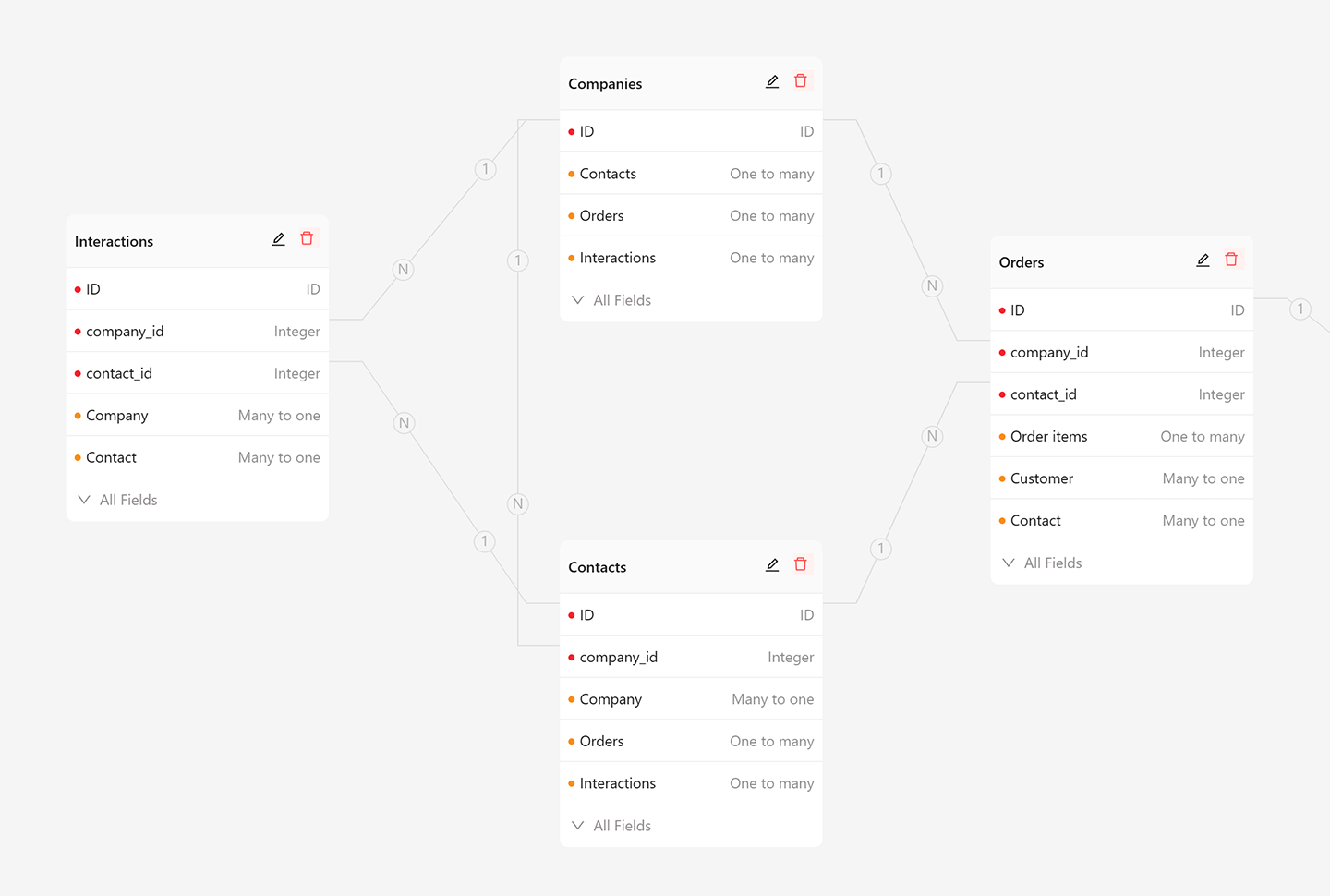
1. Data model-driven, not form/table–driven
Instead of being constrained by forms or tables, NocoBase adopts a data model–driven approach, separating data structure from user interface to unlock unlimited possibilities.
- UI and data structure are fully decoupled
- Multiple blocks and actions can be created for the same table or record in any quantity or form
- Supports the main database, external databases, and third-party APIs as data sources
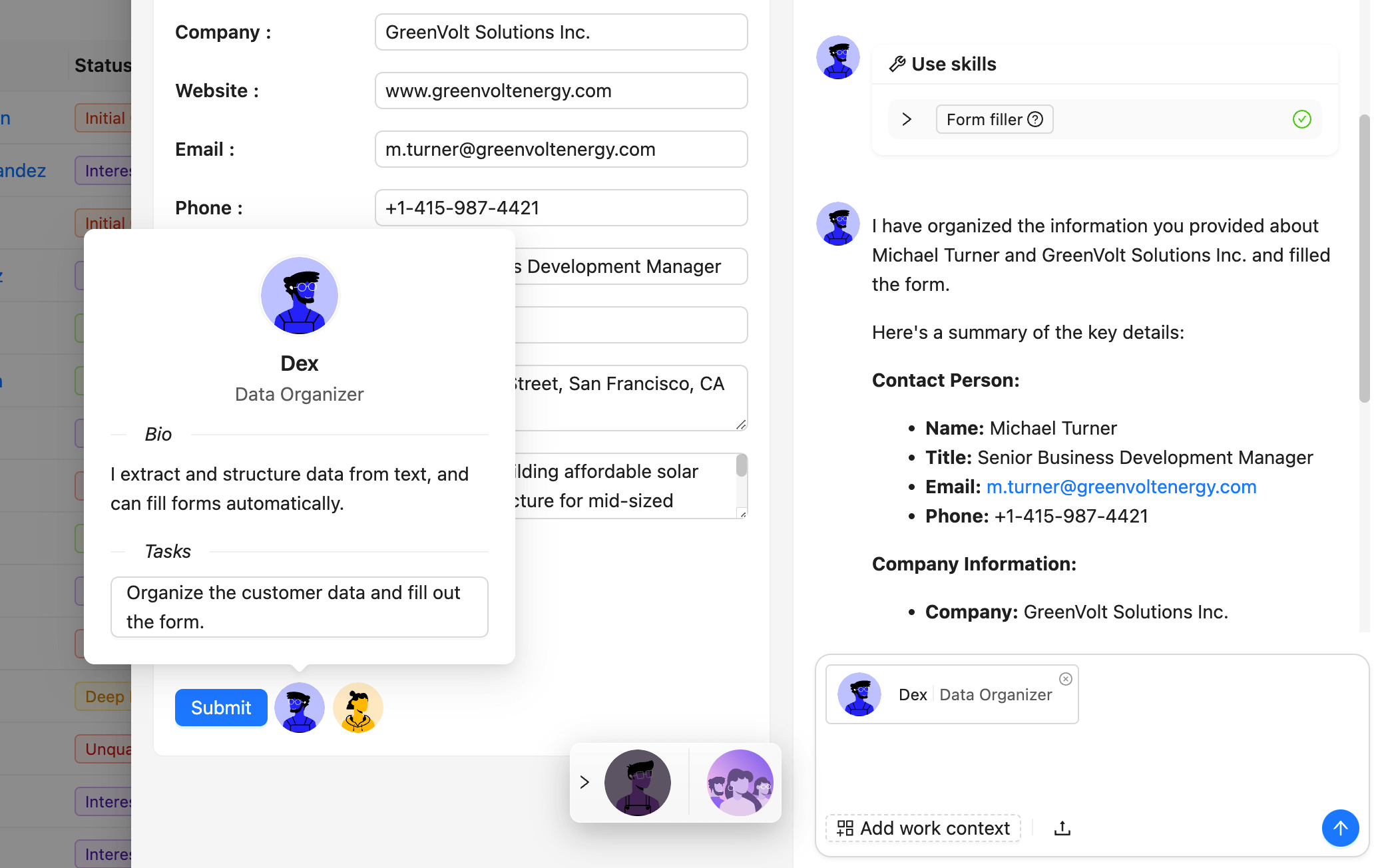
2. AI employees, integrated into your business systems
Unlike standalone AI demos, NocoBase allows you to embed AI capabilities seamlessly into your interfaces, workflows, and data context, making AI truly useful in real business scenarios.
- Define AI employees for roles such as translator, analyst, researcher, or assistant
- Seamless AI–human collaboration in interfaces and workflows
- Ensure AI usage is secure, transparent, and customizable for your business needs
3. What you see is what you get, incredibly easy to use
While enabling the development of complex business systems, NocoBase keeps the experience simple and intuitive.
- One-click switch between usage mode and configuration mode
- Pages serve as a canvas to arrange blocks and actions, similar to Notion
- Configuration mode is designed for ordinary users, not just programmers

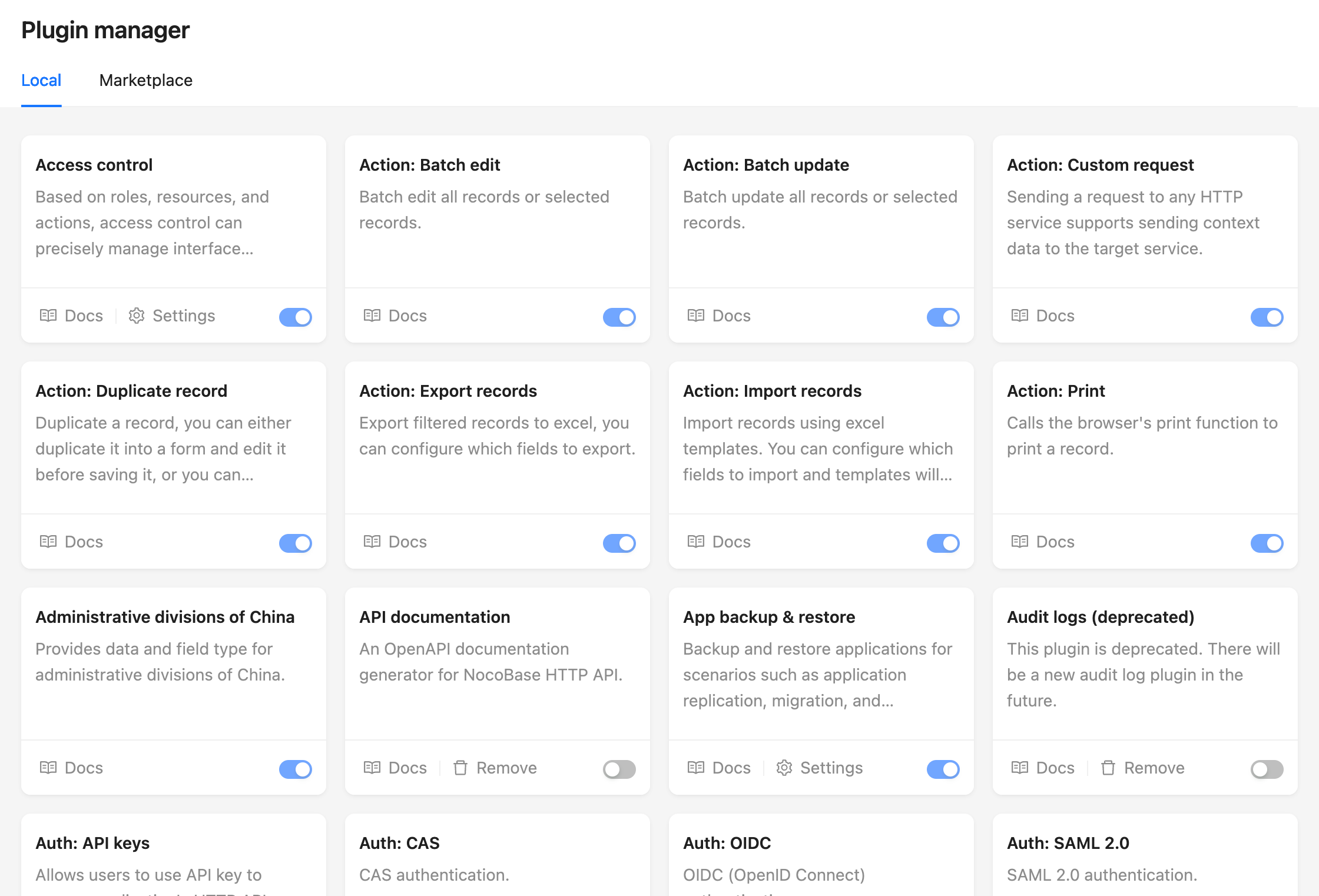
4. Everything is a plugin, designed for extension
Adding more no-code features will never cover every business case. NocoBase is built for extension through its plugin-based microkernel architecture.
- All functionalities are plugins, similar to WordPress
- Plugins are ready to use upon installation
- Pages, blocks, actions, APIs, and data sources can all be extended through custom plugins
Installation
NocoBase supports three installation methods:
-
Installing With Docker (👍Recommended)
Suitable for no-code scenarios, no code to write. When upgrading, just download the latest image and reboot.
-
Installing from create-nocobase-app CLI
The business code of the project is completely independent and supports low-code development.
-
Installing from Git source code
If you want to experience the latest unreleased version, or want to participate in the contribution, you need to make changes and debug on the source code, it is recommended to choose this installation method, which requires a high level of development skills, and if the code has been updated, you can git pull the latest code.