 Garrett DelfosseandClaude Opus 5.5
a08ba6a70c
Garrett DelfosseandClaude Opus 5.5
a08ba6a70c
- Experiment, stacked on #29242. UI is in #29583. - Adds **project memory**: `chat_project_memories` rows with a name (lowercase slug, unique per project), a one-line description (150 characters) and a body (8KB). Up to 200 per project, shared by every root chat in the project. Chats outside a project and subagents have no memory. - Memories are immutable: they are created and deleted, never edited. Agent tools are `read_memory`, `save_memory`, `delete_memory` and `consolidate_memory`. Saving an existing name fails and points the agent at `consolidate_memory` to replace it. - **Consolidation is agent-driven, in the turn**, modeled on how Claude Code compacts its memory index when warned it is near its limit. From 160 memories (80%), save results ask the agent to get under 140 (70%) with `consolidate_memory`, choosing what to merge and drop. That tool deletes and saves memories in one transaction under the per-project advisory lock, and rolls back entirely if a delete is missing, a name is taken, or the result exceeds 200. There is no background extraction or consolidation. - **The memory index reaches the model as model-only conversation messages**, not in a tool description or the system prompt. At turn start the chat gets a full `<project-memory-index>` snapshot when its prompt has none (first turn, or after compaction), otherwise a `<project-memory-index-update>` listing only what changed. Tool definitions and the system prompt carry no memory state, so memory writes never invalidate the provider's cached prompt prefix. Writes by other chats, or by this chat mid-turn, reach the model at its next turn. - REST API (create, list, get, delete) under `/api/experimental/organizations/{organization}/chats/projects/{project}/memories`. Memory permissions follow projects onto the `agents-access` role. - **Every memory change is audited** as `ChatProjectMemory` create or delete. REST changes are attributed to the caller. Tool changes (`save_memory`, `delete_memory`, `consolidate_memory`) are attributed to the chat owner, carry the `chat_id`, and record one entry per memory after the change commits, so a rolled-back consolidation records nothing. ### Examples **What the model sees.** The system prompt gets a fixed guidance block with no memory state: ```text <memory> Memory is durable context shared by every chat in the project "platform". Save facts that will matter in future chats: … The memory index is in the conversation: a <project-memory-index> message lists every saved memory, and <project-memory-index-update> messages at the start of later turns list what changed. Changes made during a turn, including your own, appear in the next turn's update. … Memories cannot be edited: replace one that no longer holds with consolidate_memory, or delete it. </memory> ``` On the first turn, after the user's message, the chat gets a model-only row with the full index (hidden in the UI): ```text <project-memory-index> - deploy-day: Deploys happen on Tuesdays - release-owner: Alice owns releases; ping her before tagging </project-memory-index> ``` On a later turn where memories changed, it gets only the difference: ```text <project-memory-index-update> Added or changed: - deploy-day: Deploys happen on Wednesdays (changed 2026-09-30) - staging-url: Staging lives at staging.example.com Removed: - old-ci-notes </project-memory-index-update> ``` Resulting request layout, with the provider's cached prefix unchanged by memory writes: ```text [tools: fixed] [system: fixed <memory> guidance] [turn 1 user] [index snapshot] [assistant/tools …] [turn 2 user] [index update] [assistant …] ``` **Tool calls and results** (produced by the tools in this PR): ```text save_memory {"name":"staging-url","description":"Staging lives at staging.example.com","body":"Staging is https://staging.example.com; deploys from main."} → {"count":3,"saved":"staging-url"} save_memory {"name":"deploy-day", …} // name already exists → error: a memory named "deploy-day" already exists; read it, then replace it with consolidate_memory by deleting "deploy-day" and saving the new version in one call consolidate_memory {"delete":["deploy-day"],"save":[{"name":"deploy-day","description":"Deploys happen on Wednesdays (changed 2026-09-30)","body":"The team deploys every Wednesday since 2026-09-30."}]} → {"count":3,"deleted":["deploy-day"],"saved":["deploy-day"]} read_memory {"name":"deploy-day"} → {"name":"deploy-day","description":"…","body":"…","created_at":"2026-09-30T15:04:05Z","created_by":"alice"} ``` Near and at the cap: ```text save_memory … → {"count":160,"saved":"one-more","warning":"memory is 160/200, approaching the limit. Consolidate it to under 140 memories now with consolidate_memory: merge overlapping memories into one, and drop stale, wrong, or superseded ones."} save_memory … → error: memory is full (200/200); use consolidate_memory to merge overlapping memories and drop stale ones, and include this memory in its save list ``` **REST memory object** (`GET .../chats/projects/{project}/memories`): ```json { "id": "59500000-0000-4000-8000-000000000001", "project_id": "7c0e4a3e-5b1f-4f7d-9a51-2f3c8f6d2b10", "organization_id": "bb640d07-ca8a-4869-b6bc-ae61ebb2fda1", "name": "deploy-day", "description": "Deploys happen on Wednesdays (changed 2026-09-30)", "body": "The team deploys every Wednesday since 2026-09-30.", "created_by": "0ed9befc-4911-4ccf-a8e2-559bf72daa94", "created_by_username": "alice", "created_at": "2026-09-30T15:04:05Z" } ``` Create takes `{"name", "description", "body"}` and answers 409 on a duplicate name or at the cap. <details> <summary>Screenshots (predate the immutable-memory rework; tool output shape has since changed)</summary> 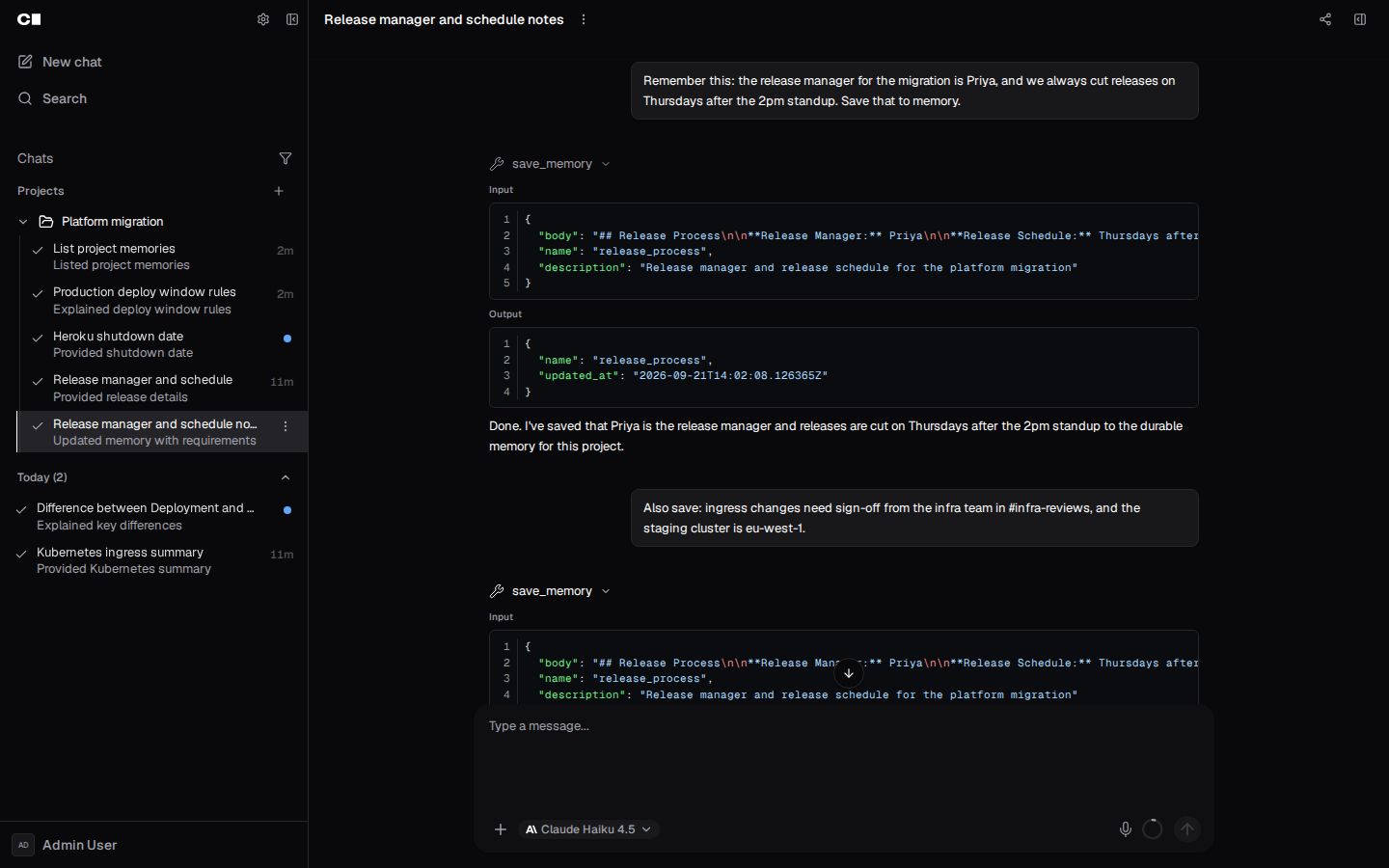 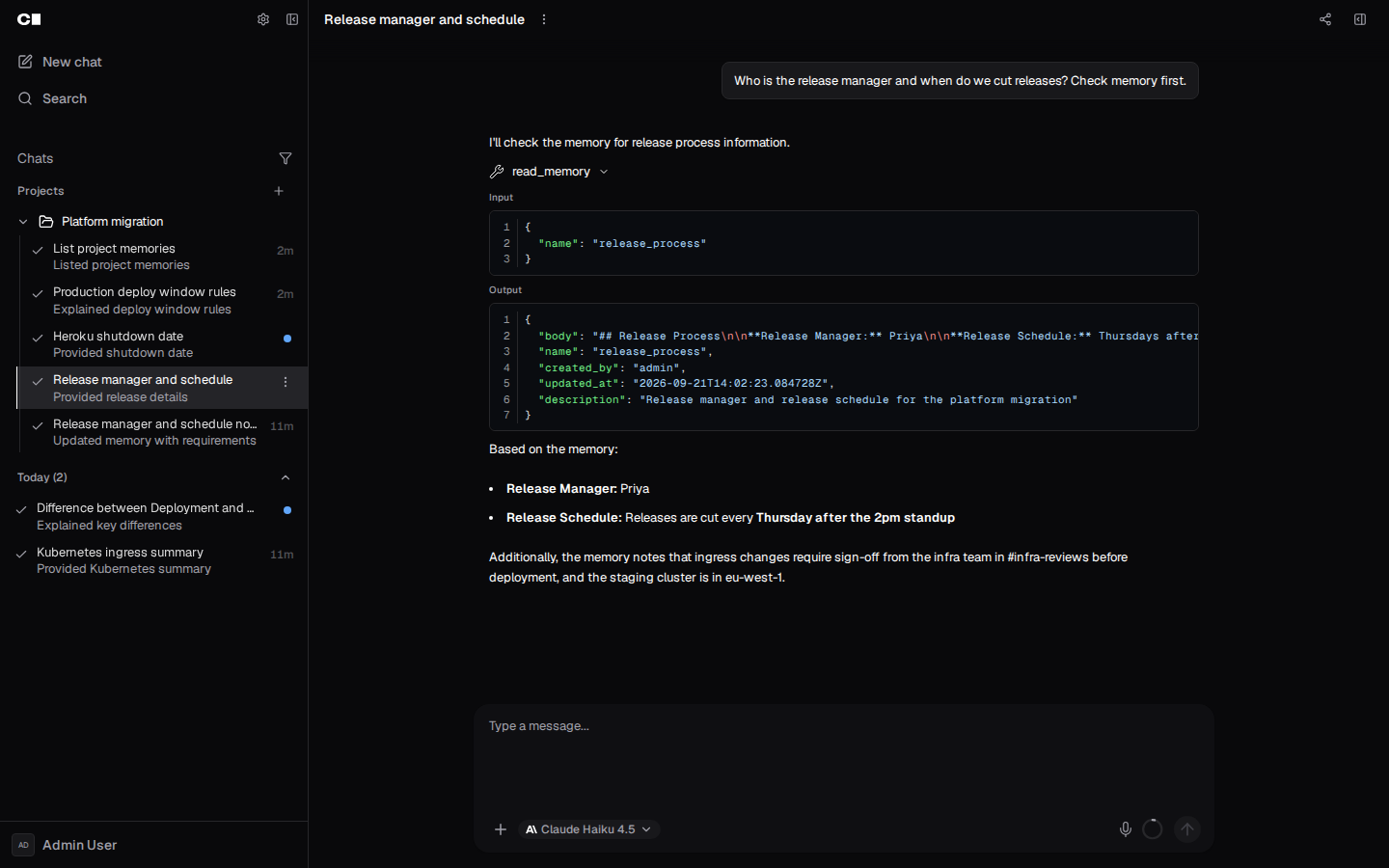 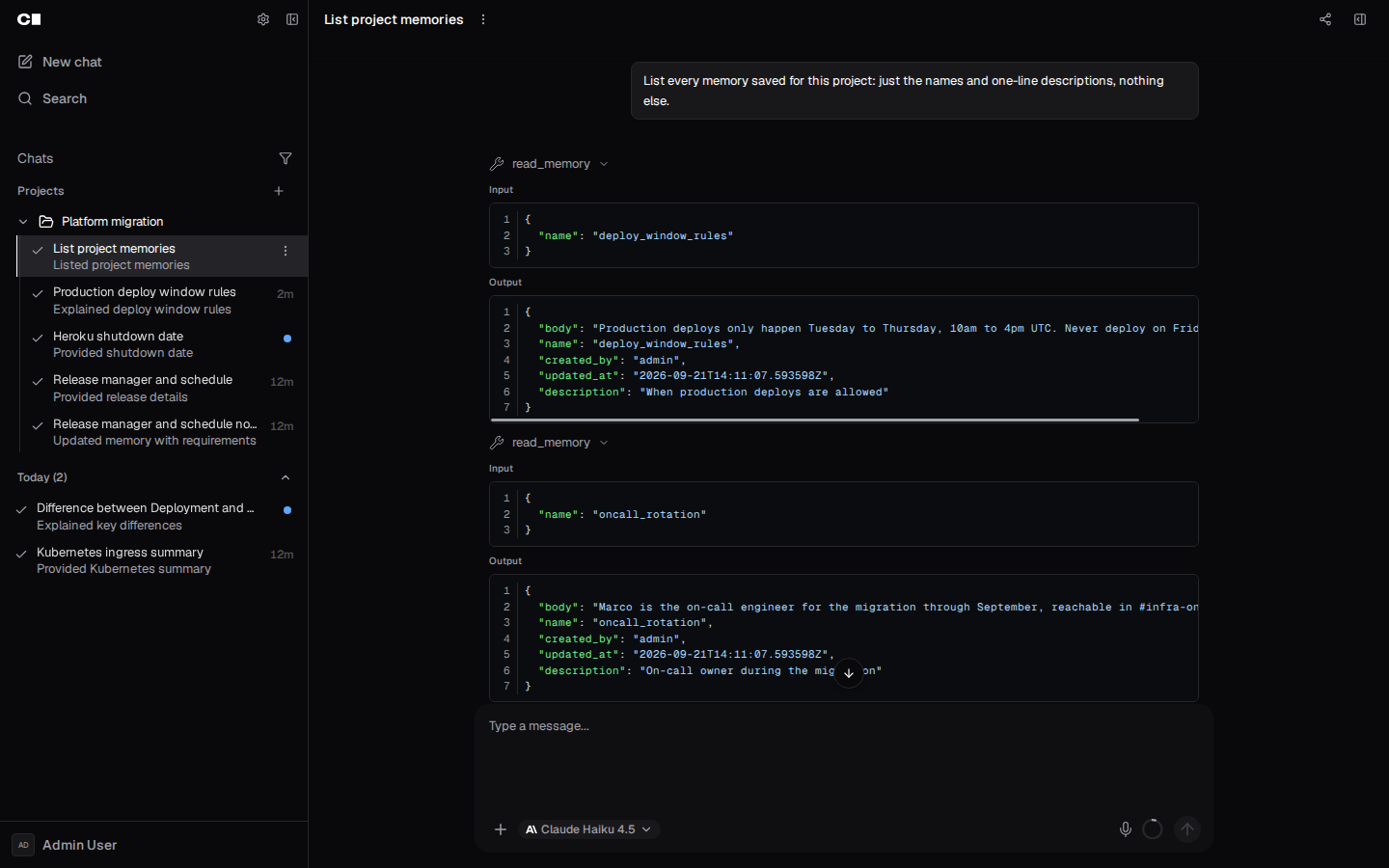 </details> --- Generated with Coder Agents on behalf of @f0ssel. --------- Co-authored-by: Claude Opus 5.5 (1M context) <noreply@anthropic.com>



Authz
Package rbac implements Role-Based Access Control for Coder.
See USAGE.md for a hands-on approach to using this package.
Overview
Authorization defines what permission a subject has to perform actions to objects:
- Permission is binary: yes (allowed) or no (denied).
- Subject in this case is anything that implements interface
rbac.Subject. - Action here is an enumerated list of actions. Actions can differ for each object type. They typically read like,
Create,Read,Update,Delete, etc. - Object here is anything that implements
rbac.Object.
Permission Structure
A permission is a rule that grants or denies access for a subject to perform an action on a object. A permission is always applied at a given level:
- site level applies to all objects in a given Coder deployment.
- org level applies to all objects that have an organization owner (
org_owner) - user level applies to all objects that have an owner with the same ID as the subject.
Permissions at a higher level always override permissions at a lower level.
The effect of a permission can be:
- positive (allows)
- negative (denies)
- abstain (neither allows or denies, not applicable)
Negative permissions always override positive permissions at the same level. Both negative and positive permissions override abstain at the same level.
This can be represented by the following truth table, where Y represents positive, N represents negative, and _ represents abstain:
| Action | Positive | Negative | Result |
|---|---|---|---|
| read | Y | _ | Y |
| read | Y | N | N |
| read | _ | _ | _ |
| read | _ | N | N |
Permission Representation
Permissions are represented in string format as <sign>?<level>.<object>.<id>.<action>, where:
negatedcan be either+or-. If it is omitted, sign is assumed to be+.levelis eithersite,org, oruser.objectis any valid resource type.idis any valid UUID v4.idis included in the permission syntax, however only scopes may useidto specify a specific object.actionis typicallycreate,read,modify,delete, but you can define other verbs as needed.
Example Permissions
+site.app.*.read: allowed to perform thereadaction against all objects of typeappin a given Coder deployment.-user.workspace.*.create: user is not allowed to create workspaces.
Levels
A user can be given (or deprived) a permission at several levels. Currently, those levels are:
- Site-wide level
- Organization level
- User level
- Organization member level
The site-wide level is the most authoritative. Any permission granted or denied at the side-wide level is absolute. After checking the site-wide level, depending of if the resource is owned by an organization or not, it will check the other levels.
-
If the resource is owned by an organization, the next most authoritative level is the organization level. It acts like the site-wide level, but only for resources within the corresponding organization. The user can use that permission on any resource within that organization.
- After the organization level is the member level. This level only applies to resources that are owned by both the organization and the user.
-
If the resource is not owned by an organization, the next level to check is the user level. This level only applies to resources owned by the user and that are not owned by any organization.
                 ┌──────────┐
                 │   Site   │
                 └─────┬────┘
            ┌──────────┴───────────┐
         ┌──┤   Owned by an org?   ├──┐
         │  └──────────────────────┘  │
      ┌──┴──┐                      ┌──┴─┐
      │ Yes │                      │ No │
      └──┬──┘                      └──┬─┘
┌────────┴─────────┐            ┌─────┴────┐
│   Organization   │            │   User   │
└────────┬─────────┘            └──────────┘
   ┌─────┴──────┐
   │   Member   │
   └────────────┘
Roles
A role is a set of permissions. When evaluating a role's permission to form an action, all the relevant permissions for the role are combined at each level. Permissions at a higher level override permissions at a lower level.
The following tables show the per-level role evaluation. Y indicates that the role provides positive permissions, N indicates the role provides negative permissions, and indicates the role does not provide positive or negative permissions. YN indicates that the value in the cell does not matter for the access result. The table varies depending on if the resource belongs to an organization or not.
If the resource is owned by an organization, such as a template or a workspace:
| Role (example) | Site | Org | OrgMember | Result |
|---|---|---|---|---|
| site-admin | Y | YN_ | YN_ | Y |
| negative-site-permission | N | YN_ | YN_ | N |
| org-admin | _ | Y | YN_ | Y |
| non-org-member | _ | N | YN_ | N |
| member-owned | _ | _ | Y | Y |
| not-member-owned | _ | _ | N | N |
| unauthenticated | _ | _ | _ | N |
If the resource is not owned by an organization:
| Role (example) | Site | User | Result |
|---|---|---|---|
| site-admin | Y | YN_ | Y |
| negative-site-permission | N | YN_ | N |
| user-owned | _ | Y | Y |
| not-user-owned | _ | N | N |
| unauthenticated | _ | _ | N |
Scopes
Scopes can restrict a given set of permissions. The format of a scope matches a role with the addition of a list of resource ids. For a authorization call to be successful, the subject's roles and the subject's scopes must both allow the action. This means the resulting permissions is the intersection of the subject's roles and the subject's scopes.
An example to give a readonly token is to grant a readonly scope across all resources +site.*.*.read. The intersection with the user's permissions will be the readonly set of their permissions.
Resource IDs
There exists use cases that require specifying a specific resource. If resource IDs are allowed in the roles, then there is an unbounded set of resource IDs that be added to an "allow_list", as the number of roles a user can have is unbounded. This also adds a level of complexity to the role evaluation logic that has large costs at scale.
The use case for specifying this type of permission in a role is limited, and does not justify the extra cost. To solve this for the remaining cases (eg. workspace agent tokens), we can apply an allow_list on a scope. For most cases, the allow_list will just be ["*"] which means the scope is allowed to be applied to any resource. This adds negligible cost to the role evaluation logic and 0 cost to partial evaluations.
Example of a scope for a workspace agent token, using an allow_list containing a single resource id.
{
	"scope": {
		"name": "workspace_agent",
		"display_name": "Workspace_Agent",
		// The ID of the given workspace the agent token correlates to.
		"allow_list": ["10d03e62-7703-4df5-a358-4f76577d4e2f"],
		"site": [/* ... perms ... */],
		"org": {/* ... perms ... */},
		"user": [/* ... perms ... */]
	}
}
OPA (Open Policy Agent)
Open Policy Agent (OPA) is an open source tool used to define and enforce policies.
Policies are written in a high-level, declarative language called Rego.
Coder’s RBAC rules are defined in the policy.rego file under the authz package.
When OPA evaluates policies, it binds input data to a global variable called input.
In the rbac package, this structured data is defined as JSON and contains the action, object and subject (see regoInputValue in astvalue.go).
OPA evaluates whether the subject is allowed to perform the action on the object across three levels: site, org, and user.
This is determined by the final rule allow, which aggregates the results of multiple rules to decide if the user has the necessary permissions.
Similarly to the input, OPA produces structured output data, which includes the allow variable as part of the evaluation result.
Authorization succeeds only if allow explicitly evaluates to true. If no allow is returned, it is considered unauthorized.
To learn more about OPA and Rego, see https://www.openpolicyagent.org/docs.
Application and Database Integration
rbac/authz.go– Application layer integration: provides the core authorization logic that integrates with Rego for policy evaluation.database/dbauthz/dbauthz.go– Database layer integration: wraps the database layer with authorization checks to enforce access control.
There are two types of evaluation in OPA:
- Full evaluation: Produces a decision that can be enforced.
This is the default evaluation mode, where OPA evaluates the policy using
inputdata that contains all known values and returns output data with theallowvariable. - Partial evaluation: Produces a new policy that can be evaluated later when the unknowns become known.
This is an optimization in OPA where it evaluates as much of the policy as possible without resolving expressions that depend on unknown values from the
input. To learn more about partial evaluation, see this OPA blog post.
Application of Full and Partial evaluation in rbac package:
- Full Evaluation is handled by the
RegoAuthorizer.Authorize()method inauthz.go. This method determines whether a subject (user) can perform a specific action on an object. It performs a full evaluation of the Rego policy, which returns theallowvariable to decide whether access is granted (true) or denied (falseor undefined). - Partial Evaluation is handled by the
RegoAuthorizer.Prepare()method inauthz.go. This method compiles OPA’s partial evaluation queries intoSQL WHEREclauses. These clauses are then used to enforce authorization directly in database queries, rather than in application code.
Authorization Patterns:
- Fetch-then-authorize: an object is first retrieved from the database, and a single authorization check is performed using full evaluation via
Authorize(). - Authorize-while-fetching: Partial evaluation via
Prepare()is used to inject SQL filters directly into queries, allowing efficient authorization of many objects of the same type.dbauthzmethods that enforce authorization directly in the SQL query are prefixed withAuthorized, for example,GetAuthorizedWorkspaces.
Testing
- OPA Playground: https://play.openpolicyagent.org/
- OPA CLI (
opa eval): useful for experimenting with different inputs and understanding how the policy behaves under various conditions.opa evalreturns the constraints that must be satisfied for a rule to evaluate totrue.opa evalrequires aninput.jsonfile containing the input data to run the policy against. You can generate this file using the gen_input.go script. Note: the script currently produces a fixed input. You may need to tweak it for your specific use case.
Full Evaluation
opa eval --format=pretty "data.authz.allow" -d policy.rego -i input.json
This command fully evaluates the policy in the policy.rego file using the input data from input.json, and returns the result of the allow variable:
data.authz.allowaccesses theallowrule within theauthzpackage.data.authzon its own would return the entire output object of the package.
This command answers the question: “Is the user allowed?”
Partial Evaluation
opa eval --partial --format=pretty 'data.authz.allow' -d policy.rego --unknowns input.object.id --unknowns input.object.owner --unknowns input.object.org_owner --unknowns input.object.acl_user_list --unknowns input.object.acl_group_list -i input.json
This command performs a partial evaluation of the policy, specifying a set of unknown input parameters.
The result is a set of partial queries that can be converted into SQL WHERE clauses and injected into SQL queries.
This command answers the question: “What conditions must be met for the user to be allowed?”
Benchmarking
Benchmark tests to evaluate the performance of full and partial evaluation can be found in authz_test.go.
You can run these tests with the -bench flag, for example:
go test -bench=BenchmarkRBACFilter -run=^$
To capture memory and CPU profiles, use the following flags:
-memprofile memprofile.out-cpuprofile cpuprofile.out
The script benchmark_authz.sh runs the authz benchmark tests on the current Git branch or compares benchmark results between two branches using benchstat.
benchstat compares the performance of a baseline benchmark against a new benchmark result and highlights any statistically significant differences.
-
To run benchmark on the current branch:
benchmark_authz.sh --single -
To compare benchmarks between 2 branches:
benchmark_authz.sh --compare main prebuild_policy