## What

Adds a **Customize your template** series under the top-level **Get
started** section, at `docs/get-started/customize-your-template/`.
These guides extend the single-page Quickstart (added in #26821) with
hands-on template customization:

- **Add a programming language** — expose a language through a
parameter, install it at startup, and offer it as a preset.
- **Install your own command-line tools** — install personal tools with
Homebrew and mise, and make them persist.
- **Clone private repositories** — authenticate workspaces to GitHub
with an external-auth data source.

## Changes from the earlier draft

This branch was rebased onto the consolidated `/docs/get-started`
structure:

- Re-homed the series from `tutorials/quickstart/` to
`get-started/customize-your-template/`, nested under the new Get started
section.
- Dropped the Part 1 launch page and the old landing page; the merged
Quickstart (`get-started/index.md`, #26821) already covers them.
- Archived the dotfiles guide out of the series (tracked as a follow-up
to document the dotfiles module as a standalone tutorial) and removed
its inbound links.
- Renamed the section to **Customize your template**.
- Added a Ruby **preset** alongside the Ruby parameter so the parameter
and preset choices stay in sync.
- Fixed the parameter-change steps to route through **Workspace settings
> Parameters**.
- Gave each page a **What's next?** step so the series reads as a
sequence.

## Still open / follow-ups

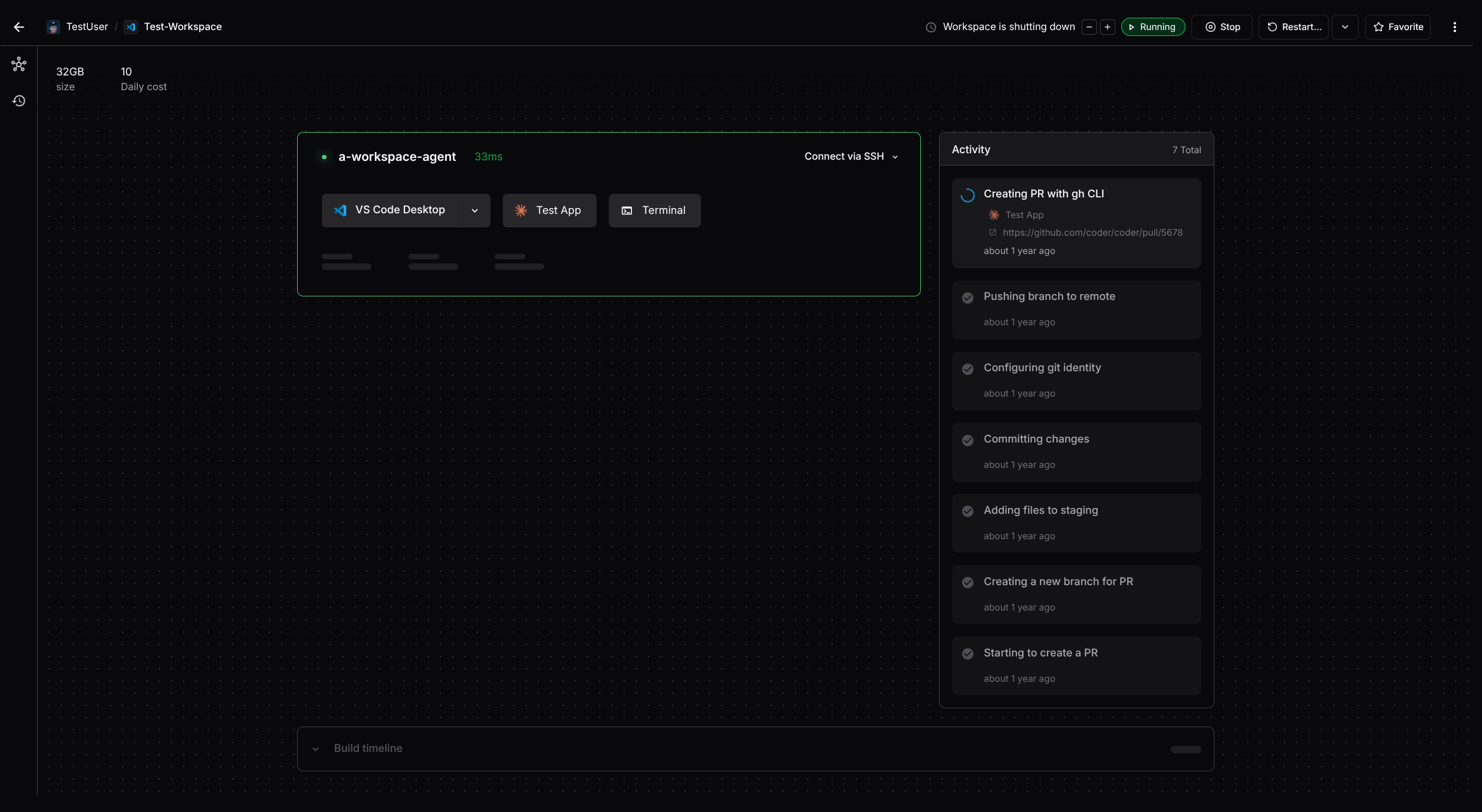
- Screenshots for the UI steps (handled separately).
- The launch step will be revised after the template-builder change
ships in the next mainline release.

<details>
<summary>Decision log</summary>

- **Why re-home, not keep `tutorials/quickstart/`:** the Quickstart now
lives at `/docs/get-started`, so the series belongs under the same
top-level section for a single, coherent entry point.
- **Why drop Part 1 here:** the launch content already merged as
`get-started/index.md` in #26821; keeping a second copy would duplicate
and drift.
- **Why archive dotfiles:** it works better as a standalone module
tutorial than as a Quickstart step; removed from the series for now and
tracked for later.
- **Final code fixtures** stay scoped per guide (base template plus that
page's edit), so only the language guide's fixture gains the Ruby option
and preset.

</details>

---
Generated by Coder Agents on behalf of @nickvigilante.
Add a top-level "Get started" docs section to the nav and move the Quickstart to /docs/get-started, with inbound link updates and the install page TIP pointing to the Quickstart.

Filed via Coder Agents on Nick's behalf.
Adds

diagram showing how AI Bridge Proxy works in tunnel and MITM modes.
diagram showing how AI Bridge Proxy integrates with upstream proxies.
Extends Troubleshooting section.
Adds a registry link for the AI Bridge Proxy module for Coder
workspaces.
Adds a new **Provider Configuration** reference page (`providers.md`) covering:

- The migration from environment-variable-based provider config to database-backed management introduced in v2.34, including the one-time seeding behavior and deprecation of `CODER_AI_GATEWAY_PROVIDER_<N>_*` and related flags
- All supported provider types (`openai`, `anthropic`, `bedrock`, `copilot`, `azure`, `google`, `openrouter`, `vercel`, `openai-compat`) with setup notes for each
- Provider lifecycle statuses (`enabled`, `disabled`, `error`) and their effect on request handling
- Reload behavior and how configuration changes apply without restarting `coderd`
- Bring Your Own Key (BYOK) and failure mode reference table

Updates **Setup** (`setup.md`) to replace the environment-variable-based provider configuration instructions with dashboard-driven steps (Add provider form, provider list, edit/disable flow), referencing the new `providers.md` page for deeper detail. Screenshots of the provider list, add, and edit forms are included.

Adds a **Provider metrics** section to **Monitoring** (`monitoring.md`) documenting the `coder_aibridged_*` and `coder_aibridgeproxyd_*` Prometheus metrics for provider status and reload timestamps, along with two suggested PromQL alert queries.
#11918 took away advanced settings during template creation however it
did not clean up the documentation of a reference to customising the
template permissions during template creation -
https://coder.com/docs/admin/templates/template-permissions

> By default the Everyone group is assigned to each template meaning any
Coder user can use the template to create a workspace. To prevent this,
disable the Allow everyone to use the template setting when creating a
template.

This setting is no longer present in Coder, so removing it from the
docs.
Adds Coder Agents messaging to the README and about page
(docs/README.md), and updates the hero screenshots.

**README.md**: Adds agents to the tagline, intro paragraph, feature
bullets, and documentation links. Reorders docs section (Workspaces,
Templates, Agents, Administration, Premium, IDEs). Refreshes
integrations: Registry first, renames Dev Container Builder to Dev
Containers, Setup Coder to GitHub Actions, adds community
templates/modules/Discord links. Removes "we" language and vague link
text per docs style feedback.

**docs/README.md**: Adds dedicated Coder Workspaces and Coder Agents
sections with inline links to their respective doc pages. Rewrites "Why
remote development" as prose instead of a flat bullet list. Adds agents
benefits to "Why Coder" (MCP servers, skills, system prompts). Fixes
heading punctuation, replaces "Up next" with "Learn more", corrects
ARM/OS positioning. Removes stale Coder v1 section.

**Screenshots**: Replaces hero-image.png with an updated screenshot
showing templates and a running workspace with IDE apps. Adds
agents-hero-image.png showing the agents chat UI with the git diff
sidebar.

> Generated with [Coder Agents](https://coder.com/agents)
## Summary

Adds BYOK (Personal API Key) documentation for OpenCode.

## BYOK support

| Client | Personal API Key | ChatGPT Subscription | Claude Subscription
|

|--------------|------------------|----------------------|---------------------|
| Codex CLI | ✅ | ✅ | - |
| Claude Code | ✅ | - | ✅ |
| Mux     | ?              | ?                   | ?                 |
| OpenCode | ✅ | ❌ | ❌ |
| Factory | ✅ | ❌ | ❌ |
| Cline | ✅ Only OpenAI API | ❌ | ❌ |
| KiloCode | ❌ (client-side bug) | ❌ | ❌ |
| RooCode | ✅ Only OpenAI API | ❌ | ❌ |
| VSCode | ❌ | ❌ | ❌ |
| JetBrains | ❌ | ❌ | ❌ |
| Zed     | ❌              | ❌                   | ❌                  |
| Copilot CLI | ? | ? | ? |

<details>
<summary>Why OpenCode doesn't support subscriptions through AI
Bridge</summary>

**ChatGPT subscription**: OpenCode's codex plugin [hardcodes the
upstream
URL](https://github.com/anomalyco/opencode/blob/3a0e00dd7f9192730f6d0eeee37ae0a5fb023927/packages/opencode/src/plugin/codex.ts#L458-L460)
to `https://chatgpt.com/backend-api/codex/responses` inside a custom
`fetch`, bypassing any configured `baseURL`.

**Claude subscription**: Anthropic [no longer
supports](https://www.reddit.com/r/ClaudeAI/comments/1r9hqdk/claude_subscriptions_will_no_longer_be_usable_in/)
using subscriptions in third-party clients.

</details>

## Notes

- Anthropic forbids Claude subscription in all 3rd-party clients
- OpenCode supports ChatGPT subscription, but there is no way to
customize BaseURL
- Does it make sense to investigate Mux?
- Factory doesn't support ChatGPT subscription
- Cline supports ChatGPT subscription, but there is no way to customize
BaseURL
- KiloCode supports CustomHeaders, but I wasn't able to make it work
neither for centralized key nor for BYOK. Seems support for custom
providers has bugs. I got different errors for different models, this
one is common:
`Unsupported parameter: 'max_tokens' is not supported with this model.
Use 'max_completion_tokens' instead.` Seems should be fixed on KiloCode
side.
- RooCode and Cline support only OpenAI. They have special
OpenAI-Compatible provider which allows adding custom headers.
- VSCode (NativeChat) uses github copilot under the hood. I wasn't able
to make it work, neither in VSCode nor in VSCode-Insiders on my MacOS. I
used VSCode-Insiders Version: 1.116.0-insider (Universal). I got
different errors. When I used Github Copilot Chat (stable release - it
ignored my AI Gateway configuration), when I tried to install Github
Copilot Chat pre-release it failed with
`~/.vscode-insiders/extensions/github.copilot-chat-0.43.2026040705`
- JetBrains (embedded AI assistant). OpenAI Compatible provider doesn't
support custom headers. Also I got some errors even for centralized key
setup.
- Zed doesn't support custom headers
- Copilot CLI is special, because it's only supported via gateway proxy.
But it also means that we don't need support of custom headers, because
`X-AI-Gov-Token` is set by proxy itself. So if BYOK is supported in
CopilotCLI - it should be supported for CopilotCLI via Bridge and
BridgeProxy.
## Questions
- Do we want to explicitly state that Claude Max/Pro or ChatGPT Plus/Pro
subscriptions aren’t supported by OpenCode via AIBridge? I initially
avoided mentioning it since this could change over time, and keeping
that information up to date across clients might be difficult.
Added new AWS install documentation and screenshots to support
deployment of AWS Marketplace Coder Community Edition, as the
primary/recommended method on AWS for POCs and experimenting with Coder.
Adds a new child page under **Coder Agents**
(`/docs/ai-coder/agents-architecture`) that explains how the agent in
the control plane communicates with workspaces.

## Core message

The Coder Agent interacts with workspaces using the exact same
connection path as a developer's IDE, web terminal, or SSH session — no
special protocol, no sidecar, no new ports.
## Changes

- Removed the Coder Agents entry from the middle of the children array
in `docs/manifest.json`.
- Added the Coder Agents entry back at the end of the children array to
improve the organization of the documentation structure.

<img width="368" height="688" alt="image"
src="https://github.com/user-attachments/assets/3117acfd-8c8a-4522-84e7-a748a7596cc6"
/>


<!--

If you have used AI to produce some or all of this PR, please ensure you
have read our [AI Contribution
guidelines](https://coder.com/docs/about/contributing/AI_CONTRIBUTING)
before submitting.

-->
Adds a new documentation page at `docs/ai-coder/agents.md` describing
Coder Agents — the built-in chat interface, API, and lightweight AI
coding agent that runs in the Coder control plane.

## What's included

- Overview of what Coder Agents is and who it's for (regulated
industries, platform teams, existing Coder deployments)
- How the architecture works (agent loop in coderd, outbound to LLM
providers, connects to workspaces via existing daemon connection)
- Key features: automatic template/workspace selection, sub-agents, chat
persistence, message queuing
- Security benefits of the control plane architecture (no API keys in
workspaces, simpler network boundaries, centralized enforced control,
user identity attached)
- LLM provider support table (verified against
`coderd/chatd/chatprovider/chatprovider.go`)
- Built-in tools reference
- Comparison to Coder Tasks
- Product status (internal preview, early access next)
### Summary

Workspace created via mode=auto links now require explicit user
confirmation before provisioning. A warning dialog shows all prefilled
param.* values from the URL and blocks creation until the user clicks
`Confirm and Create`. Clicking `Cancel` falls back to the standard form
view.

<img width="820" height="475" alt="auto-create-consent-dialog"
src="https://github.com/user-attachments/assets/8339e3bd-434f-4a04-9385-436bf95f49d7"
/>

### Breaking behavior change

Links using `mode=auto` (e.g., "Open in Coder" buttons) will no longer
silently create workspaces. Users will now see a consent dialog and must
explicitly confirm before the workspace is provisioned. Any existing
integrations or automation relying on `mode=auto` for seamless workspace
creation will now require manual user interaction.

---------

Co-authored-by: Jake Howell <jacob@coder.com>
- remove beta labels
- clarify how AWB is measured
- reassurance of no downtimes when limit is reached

---------

Co-authored-by: Atif Ali <atif@coder.com>
Co-authored-by: Claude Opus 4.5 <noreply@anthropic.com>
Co-authored-by: Matt Vollmer <matthewjvollmer@outlook.com>
Add screenshots to the dev containers user guide:

- Running dev containers with sub-agents (index.md, working-with-dev-containers.md)
- Discovered dev containers with Start button (index.md)
- Outdated status with rebuild option (working-with-dev-containers.md)
- Display apps disabled (customizing-dev-containers.md)

Also deletes the outdated devcontainer-agent-ports.png.

Refs #21157
---------

Co-authored-by: blink-so[bot] <211532188+blink-so[bot]@users.noreply.github.com>
Co-authored-by: Ben Potter <ben@coder.com>
Co-authored-by: Atif Ali <atif@coder.com>
Fixes#18767
This PR restores the missing `landing.png` and `duplicate.png` images
that were accidentally deleted in commit
b26c9e2432.
## Problem
The images were deleted during a documentation restructure, but external
links and cached website content are still referencing these image URLs,
causing 404 errors:
-
`https://raw.githubusercontent.com/coder/coder/main/docs/images/guides/ai-agents/landing.png`
-
`https://raw.githubusercontent.com/coder/coder/main/docs/images/guides/ai-agents/duplicate.png`
## Solution
Restore the original images from the git history to maintain backward
compatibility for external references while preserving the current
documentation structure.
## Testing
✅ Verified images are restored to correct location
✅ Confirmed file sizes match original images
✅ No conflicts with current documentation structure
Co-authored-by: blink-so[bot] <211532188+blink-so[bot]@users.noreply.github.com>
Co-authored-by: kylecarbs <7122116+kylecarbs@users.noreply.github.com>
closes#18071
- [x] move `## Accessing web apps in a secure browser context` to the
troubleshooting section
- [x] use a compacted view for troubleshooting topics to prevent them
from occupying a significant space on page
- [x] remove `Issues updating Coder Desktop`
- [x] Update screenshots
---------
Co-authored-by: EdwardAngert <17991901+EdwardAngert@users.noreply.github.com>
 Nick Vigilante