 github-actions[bot]
LandPPT - AI-Powered PPT Generation Platform







English | 中文

Topic / Document → Outline → HTML PPT → Script / Narration / Export
In one line: LandPPT is an LLM-powered presentation platform—turn a topic or uploaded document into an editable professional deck, with speech scripts, narrated video, and multi-format export.
Core capabilities:
| Capability | Description |
|---|---|
| One-click generation | Topic to full PPT, with parallel slide generation |
| Smart images | Local gallery / web stock / AI generation |
| Deep research | Tavily + SearXNG for live web retrieval and summaries |
| Scripts & video | Speech scripts + Edge-TTS per-slide narration; 1080p video export |
| Multi-format export | PDF / HTML / PPTX / images / DOCX / Markdown |
| Automation | OpenAI-compatible API + REST APIs with API-key auth |
Documentation · Docker Hub · Issues
Table of Contents
- Overview
- Features
- Screenshots
- Dependencies & Scope
- Quick Start
- Usage Guide
- Configuration
- FAQ
- Contributing
- License
- Contact
Overview
LandPPT folds outline writing, layout, imagery, speaker notes, and export into one AI workflow:
- Input — topic text, or PDF / Word / Markdown / Excel / PPT documents
- Plan — editable outline; optional deep research for up-to-date context
- Generate — parallel HTML slides with templates and AI-adaptive layouts
- Refine — sidebar AI chat editing, image swap, visual references
- Deliver — multi-format export, or a public share link (with narration and subtitles)
Local default: SQLite + in-memory cache—one command to try, no PostgreSQL / Valkey required.
Production recommended: docker compose with Web + Worker + PostgreSQL + Valkey + MinIO.
Features
Multi-AI providers
- OpenAI GPT, Anthropic Claude, Google Gemini, Azure OpenAI
- OpenAI-compatible endpoints (DeepSeek, Moonshot, Qwen, …)
- Ollama local models; per-role routing (outline / slides / editor / template / speech) for cost control
Files & deep research
- Formats: PDF / Word / Markdown / TXT / Excel / PowerPoint
- High-quality parsing via MinerU + MarkItDown
- Multi-engine retrieval with Tavily + SearXNG and web summarization
Smart images
- Three sources: local gallery / Pixabay & Unsplash / DALL·E, SiliconFlow, Pollinations, OpenAI, Gemini
- AI matching; automatic resize, format conversion, quality tuning
- Image service is off by default (
ENABLE_IMAGE_SERVICE)
Templates & projects
- Global master template + scenario templates (general / tourism / education, …)
- Extract layout from uploaded reference PPTX; project-level AI-adaptive templates
- Four-stage workflow: requirements → outline → task tracking → PPT generation
- Stage restart/resume, visual outline editor, one-click public sharing
Platform & ops
- Single-container Docker or multi-service Compose; async jobs (PDF / PPTX / narration video)
- Local accounts, GitHub / Linux Do OAuth, email verification, registration rate limits
- Optional credits, SMTP / Resend, Cloudflare Turnstile
Screenshots
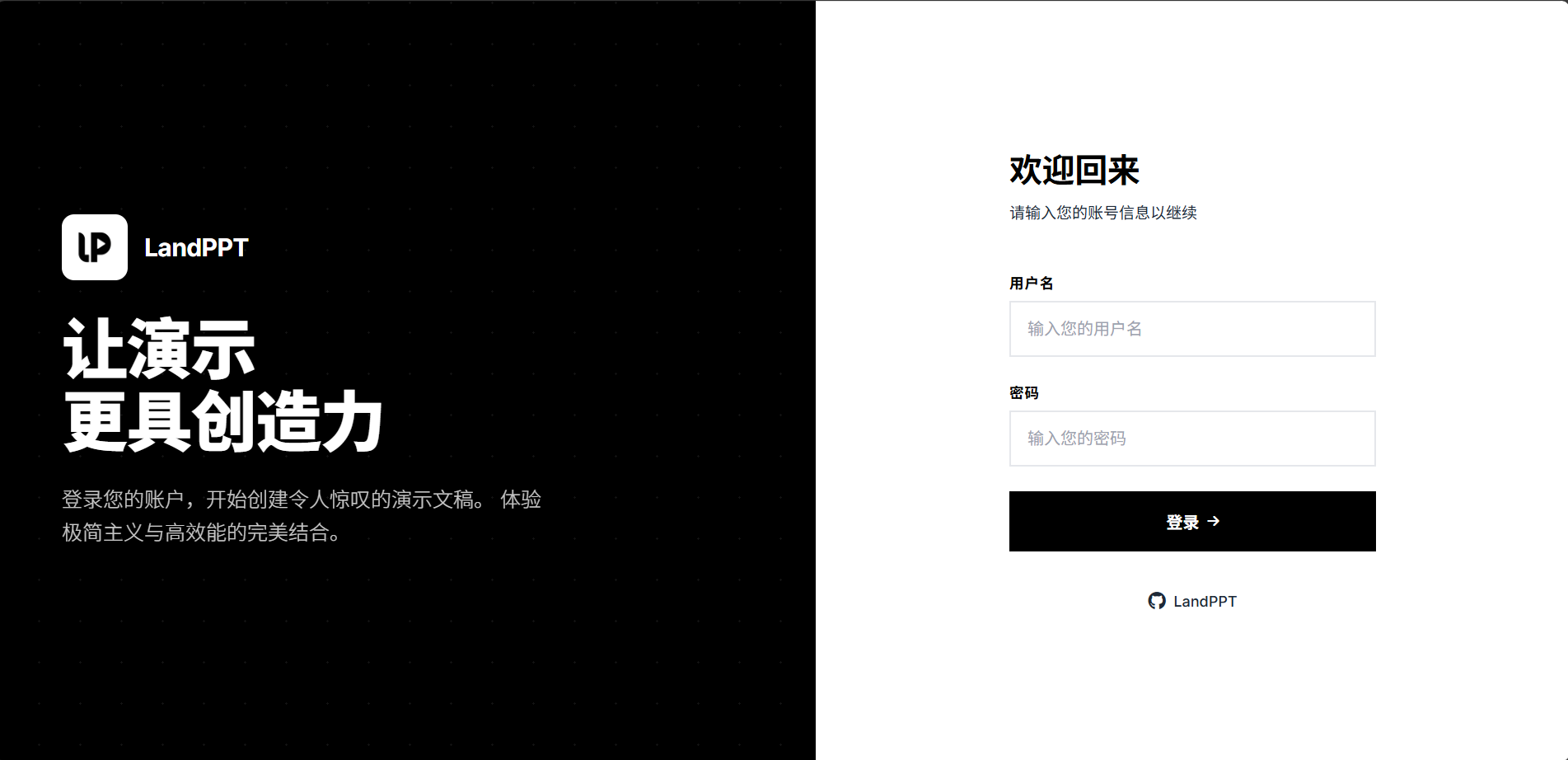
Main interface
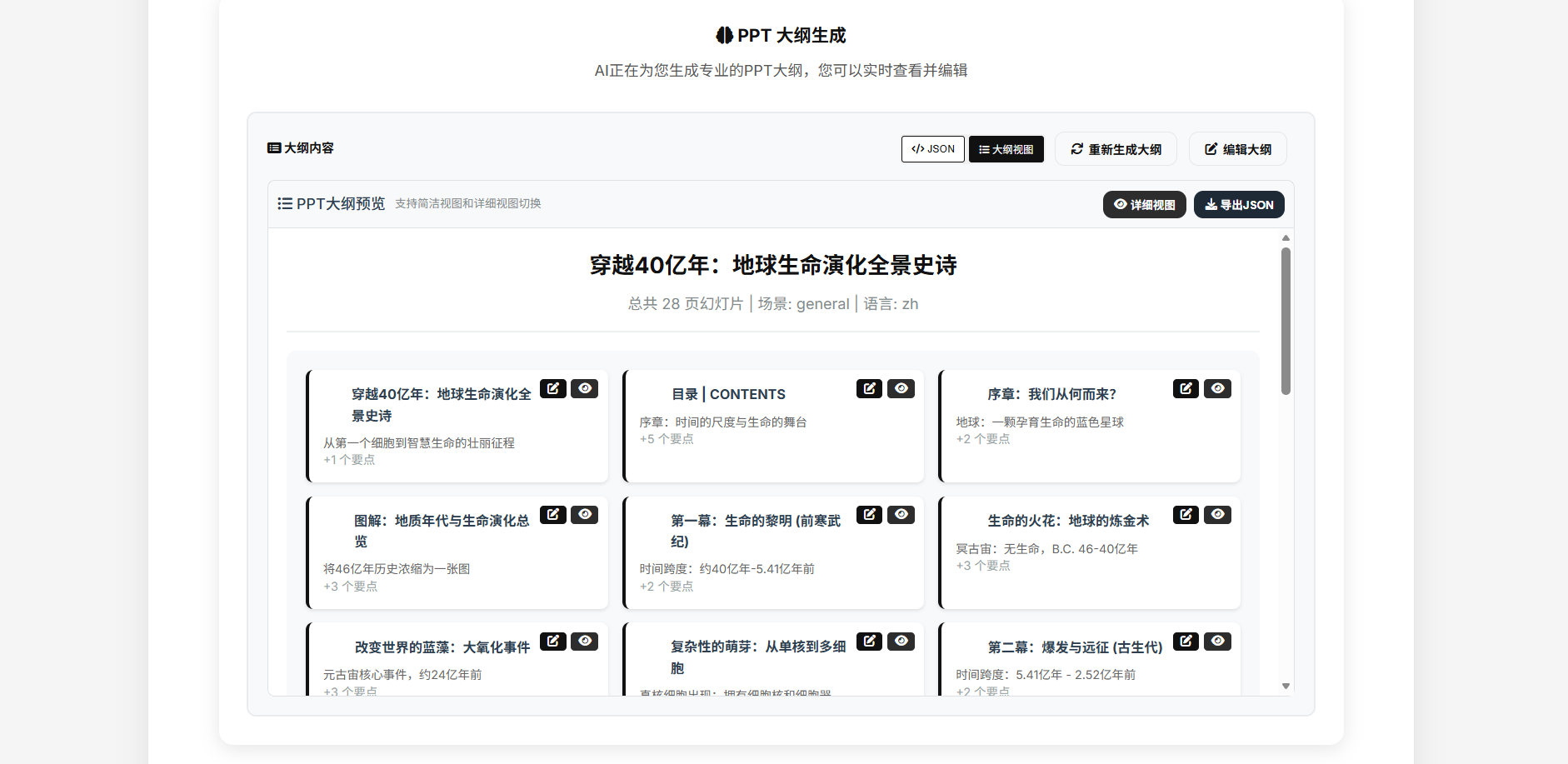
Outline & generation result
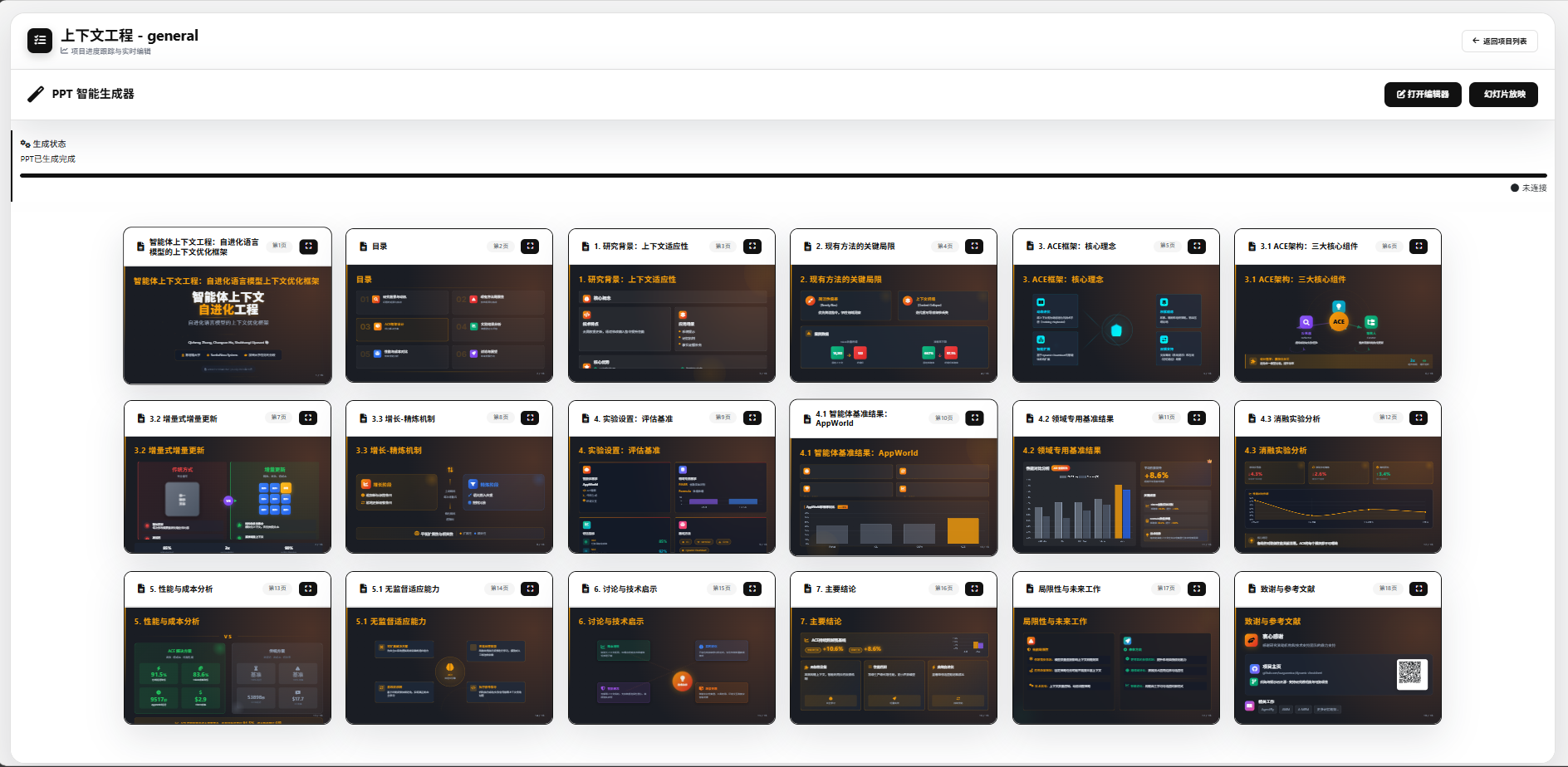
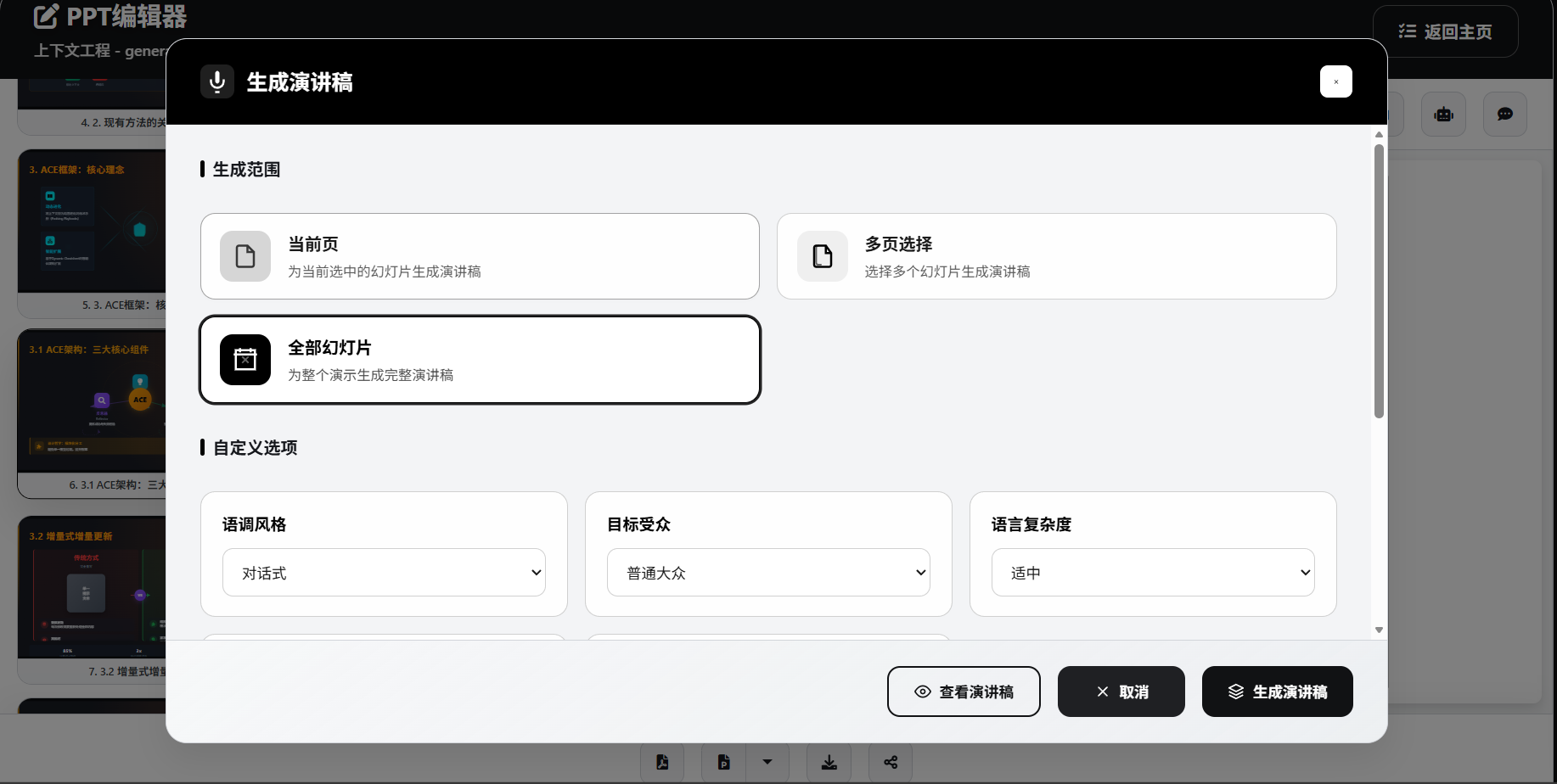
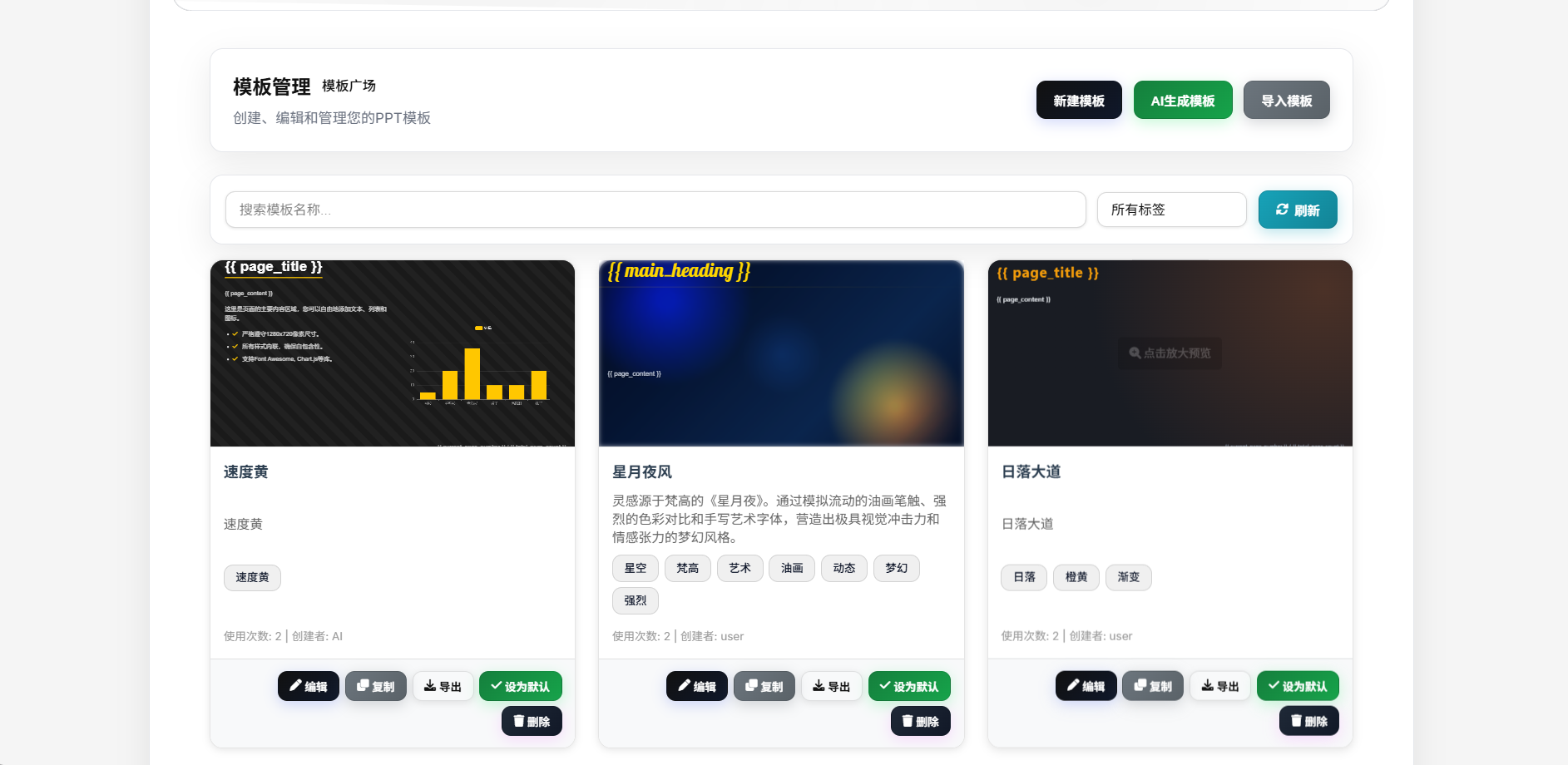
More screenshots (editor / speech / export / templates)
Main interface (alt)
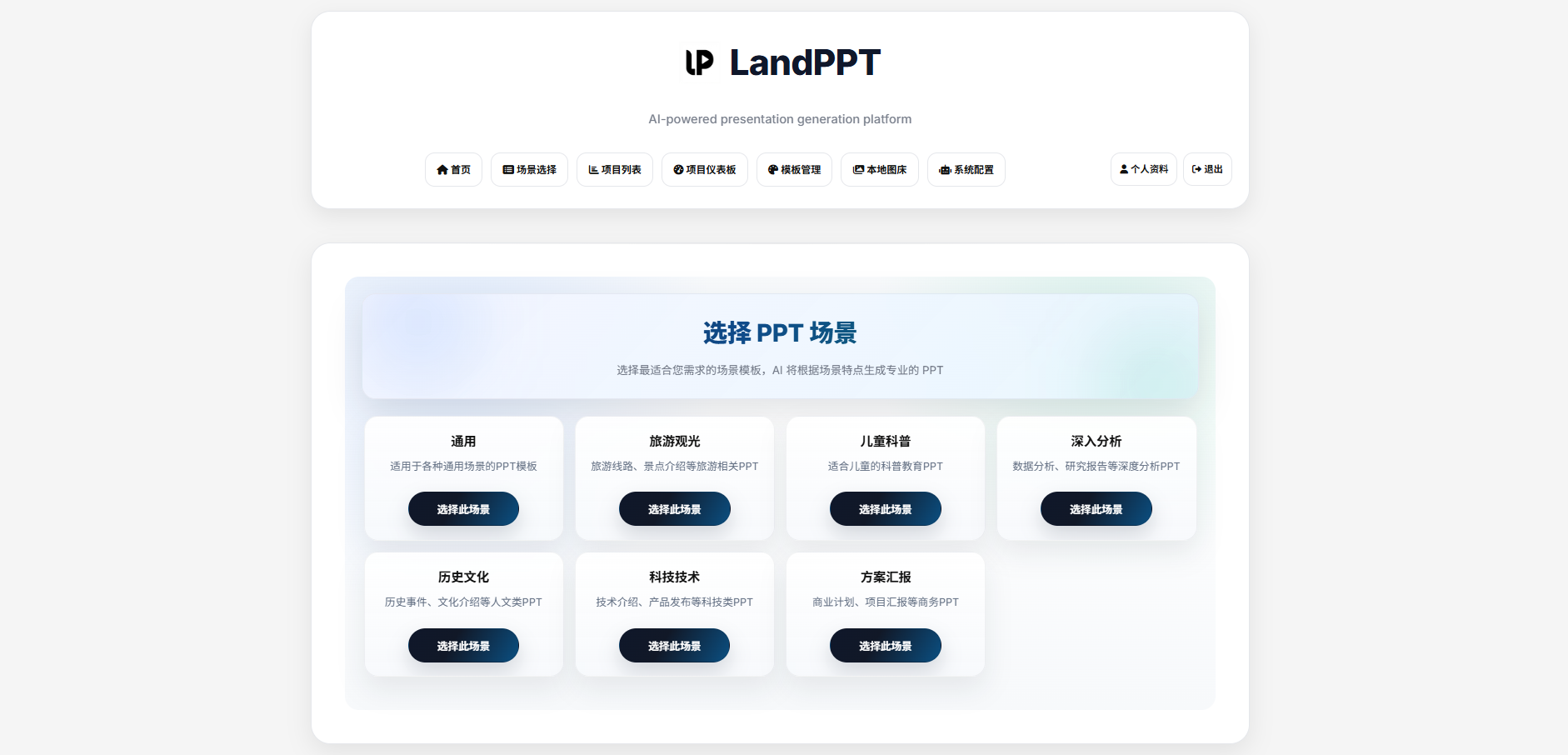
Generation result (alt)
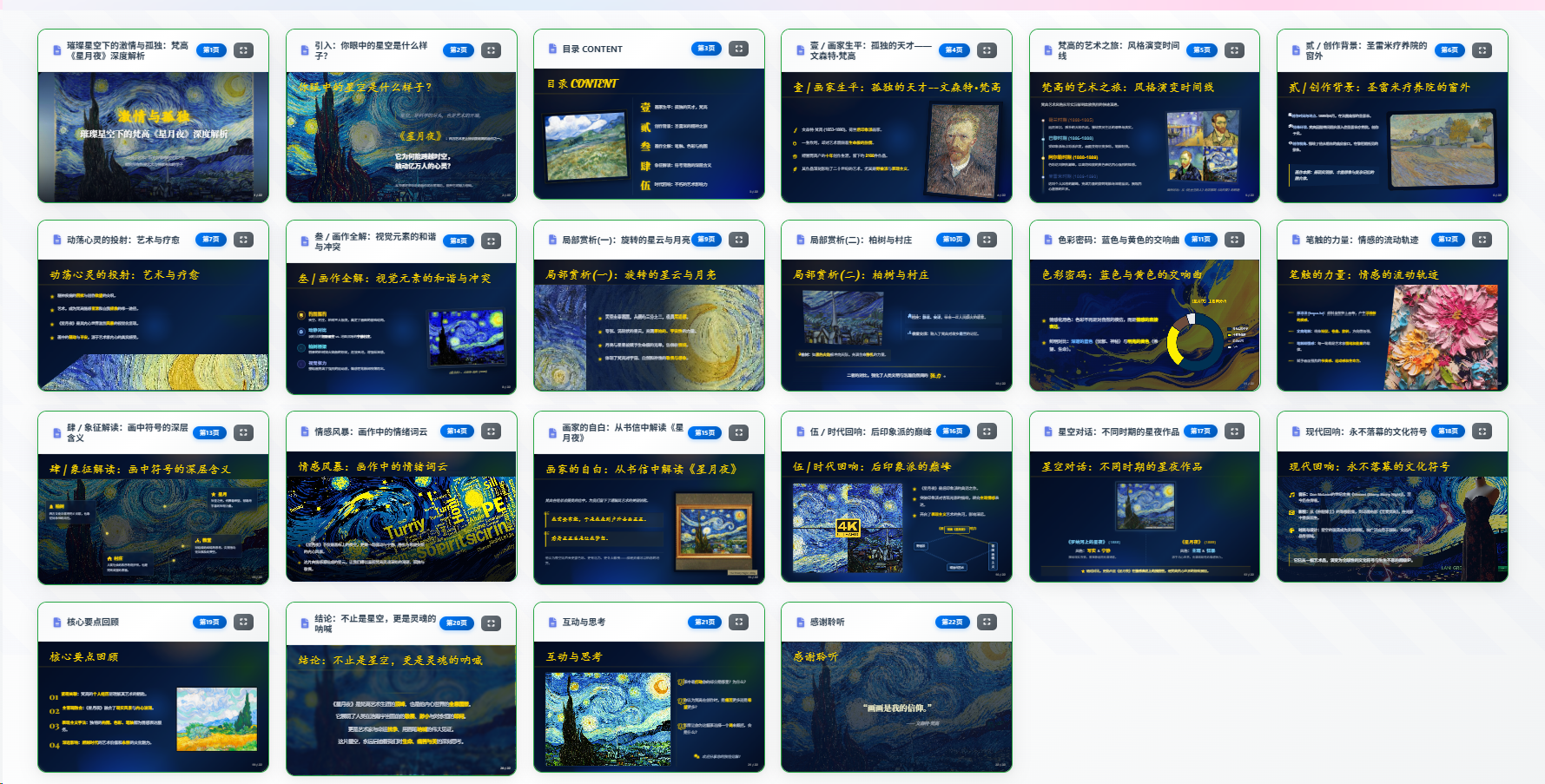
Online editing

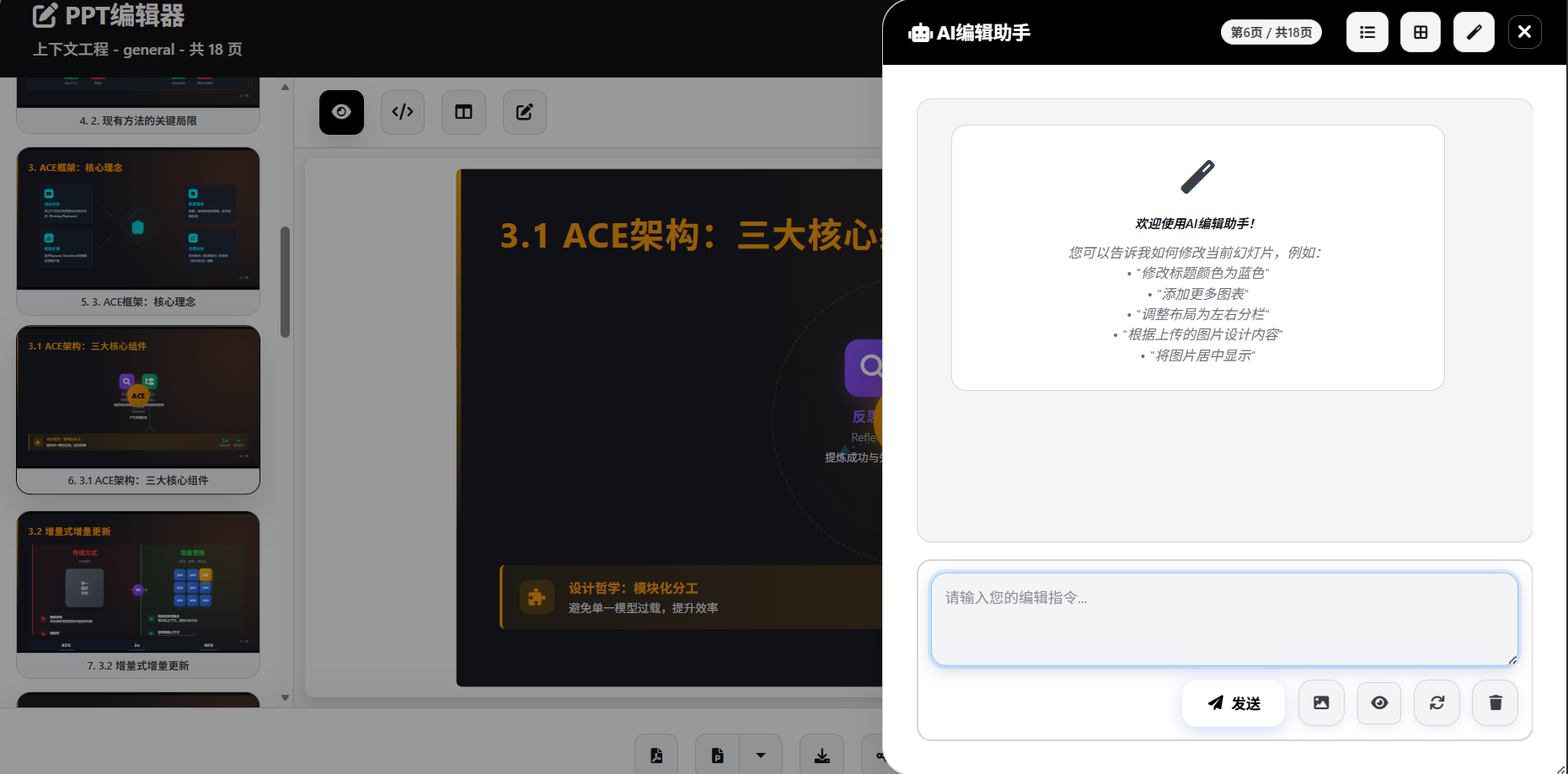
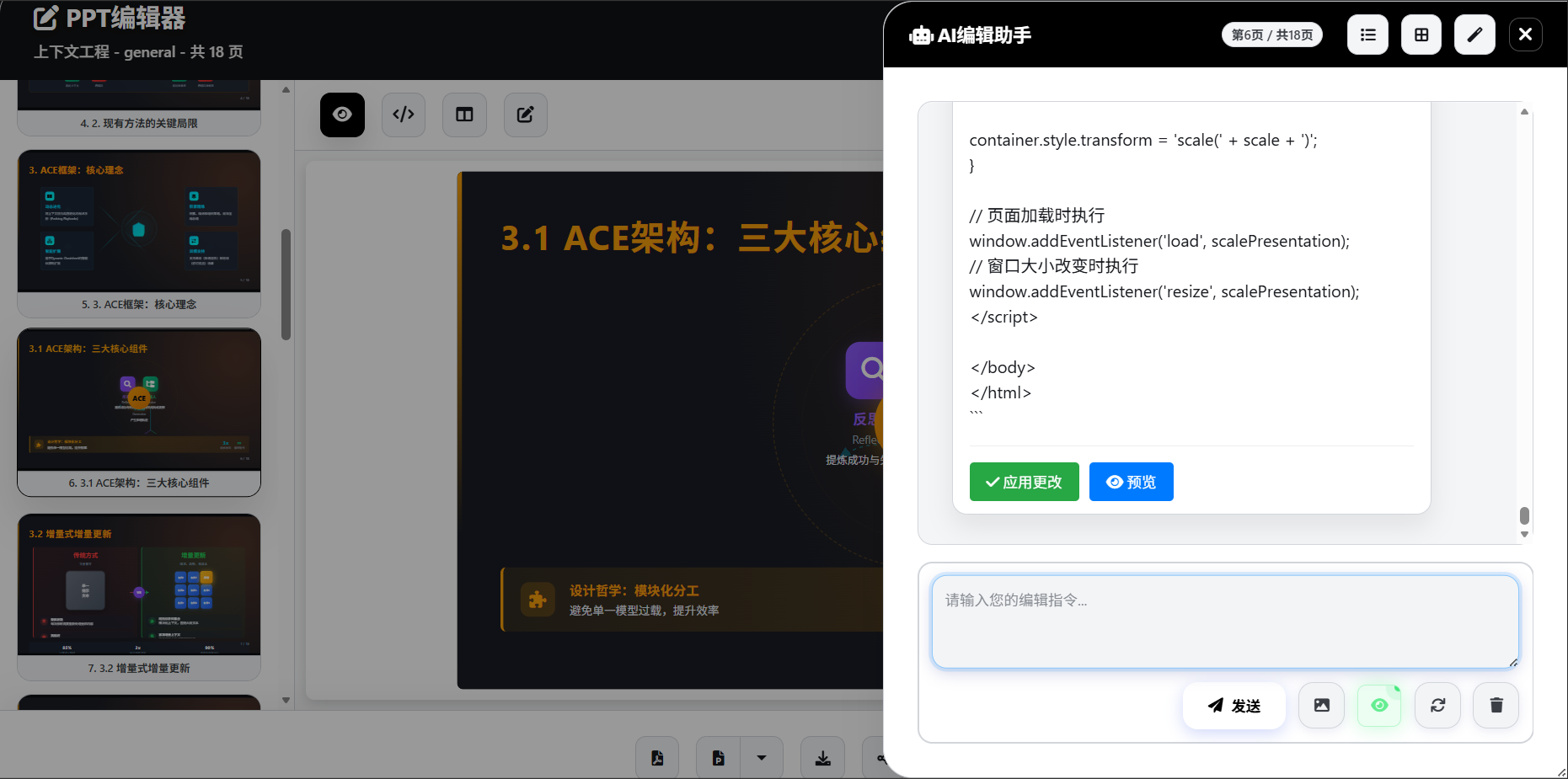
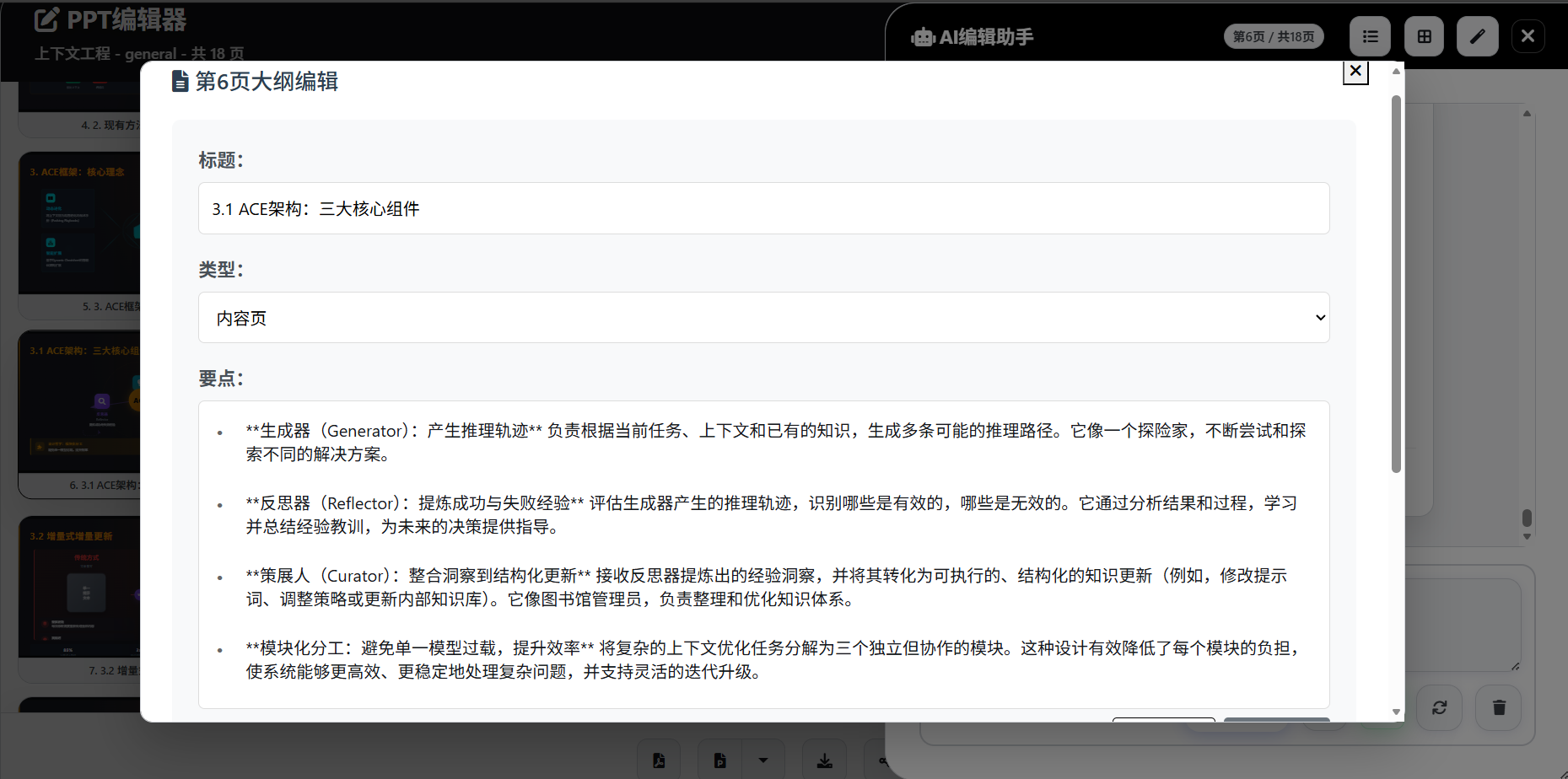
Speech script
Template generation
Dependencies & Scope
Separate minimum runnable from full feature set so you are not surprised after first boot.
| Capability | Dependency | Notes |
|---|---|---|
| Core generation (outline / HTML PPT) | At least one AI provider key | Required |
| Local models | Ollama, etc. | Optional offline inference |
| Deep research | TAVILY_API_KEY or SearXNG |
Optional |
| Web / AI images | Gallery or image-gen keys + ENABLE_IMAGE_SERVICE=true |
Optional (off by default) |
| Standard editable PPTX | APRYSE_LICENSE_KEY (commercial) |
Optional, but required for editable PPTX |
| Image-based PPTX | No Apryse | Higher visual fidelity; in-slide elements usually not editable |
| Narration video | ffmpeg; optional ComfyUI TTS |
Optional |
| Multi-user / background jobs | PostgreSQL + Valkey + MinIO + Worker | Prefer Compose |
Production security
- Change
SECRET_KEYand admin password; do not ship defaultadmin/admin123- Production compose disables admin bootstrap by default—enable explicitly on first deploy only
- Use strong random
LANDPPT_API_KEY/LANDPPT_API_KEYS- Never commit real secrets to Git
Quick Start
System requirements
- Python 3.11+
- SQLite 3 (local default)
- ffmpeg (for narration video export)
- Docker (optional)
Database migrations
- Pending migrations run automatically on startup; disable with
LANDPPT_AUTO_MIGRATE_ON_STARTUP=false - Local default is SQLite; set
DATABASE_URLonly when you want PostgreSQL or another external DB - For multi-node shared databases, disable auto-migrate and run a one-off migration job
Option 1: uv (recommended for local)
git clone https://github.com/sligter/LandPPT.git
cd LandPPT

# Install uv if needed
# Windows (PowerShell)
powershell -ExecutionPolicy ByPass -c "irm https://astral.sh/uv/install.ps1 | iex"
# macOS / Linux
curl -LsSf https://astral.sh/uv/install.sh | sh

uv sync --extra dev
cp .env.example .env
# Edit .env — configure at least one AI API key

# Defaults to :8000 with SQLite + memory cache
uv run python run.py
Option 2: pip
git clone https://github.com/sligter/LandPPT.git
cd LandPPT

python -m venv venv
# Windows: venv\Scripts\activate
# macOS / Linux: source venv/bin/activate

pip install -e .
cp .env.example .env
# Edit .env with AI API keys

python run.py
Option 3: Docker single container
docker pull bradleylzh/landppt:latest

docker run -d \
  --name landppt \
  -p 8000:8000 \
  -v $(pwd)/.env:/app/.env \
  -v landppt_data:/app/data \
  -v landppt_uploads:/app/uploads \
  -v landppt_reports:/app/research_reports \
  -v landppt_cache:/app/temp \
  -v landppt_lib:/app/lib \
  bradleylzh/landppt:latest

docker logs -f landppt
Create and configure
.env(at least one AI API key) before running.
Option 4: Docker Compose (recommended for production)
Bundled docker-compose.yml starts landppt (Web) + worker + PostgreSQL + Valkey + MinIO (minio-init creates the bucket). Prefer plain python run.py for a lightweight local trial.
cp .env.example .env
# At minimum: AI keys, SECRET_KEY, POSTGRES_PASSWORD

docker compose up -d
docker compose logs -f landppt
- App:
http://localhost:8000(override withLANDPPT_PORT) - MinIO console:
http://localhost:9001 - Production disables admin auto-bootstrap by default; set
LANDPPT_BOOTSTRAP_ADMIN_ENABLED=trueand admin credentials for first deploy - Default image
bradleylzh/landppt:latest; override withLANDPPT_IMAGE
Option 5: Development (hot reload)
cp .env.example .env
docker compose -f docker-compose-dev.yaml up -d --build
docker compose -f docker-compose-dev.yaml logs -f landppt
Builds from the local Dockerfile, mounts sources, enables hot reload; bootstraps admin / admin123 by default.
Usage Guide
1. Access the service
| Entry | URL |
|---|---|
| Web UI | http://localhost:8000 |
| API docs | http://localhost:8000/docs |
| Health | http://localhost:8000/health |
Local/dev often bootstraps admin / admin123 via LANDPPT_BOOTSTRAP_ADMIN_*. Always change or disable this in production.
2. Configure AI providers
In the settings UI or .env:
- OpenAI API key (also works with DeepSeek, Moonshot, Qwen, and other OpenAI-compatible APIs)
- Anthropic / Google API keys
- Or local Ollama
3. Create a PPT project
- Requirements — topic, audience, page range, scenario template
- Outline — structured outline with visual editing
- Research (optional) — deep research for fresh context
- Images (optional) — local / web / AI generation
- Generate — HTML presentation from the outline
4. Edit & export
- Sidebar AI chat for content and style; upload images as visual references
- Speech scripts (DOCX / Markdown / PPT notes)
- Per-slide narration: Edge-TTS or ComfyUI Qwen3-TD (reference audio supported)
- Narrated MP4 (1080p, 30/60fps, optional subtitles)
- Export PDF, HTML, standard PPTX, image-based PPTX, scripts, etc.
- One-click public share (share page plays narration and subtitles)
5. Automation APIs
- API-key auth for CI, scripts, n8n, custom backends
- OpenAI-compatible:
/v1/chat/completions,/v1/completions,/v1/models - Project-level export / share / speech endpoints for non-browser flows
Configuration
Full list: .env.example. Advanced options: src/landppt/core/config.py. Below is minimum runnable + production must-change only.
Minimum (local)
# At least one AI provider
DEFAULT_AI_PROVIDER=openai
OPENAI_API_KEY=your_openai_api_key_here
# or ANTHROPIC_API_KEY / GOOGLE_API_KEY / local Ollama

HOST=0.0.0.0
PORT=8000

# Local defaults (optional to set)
# DATABASE_URL=sqlite:///./landppt.db
# CACHE_BACKEND=memory
Production must-change
SECRET_KEY=replace-with-long-random-string
POSTGRES_PASSWORD=replace-with-strong-password   # Compose production stack

LANDPPT_BOOTSTRAP_ADMIN_ENABLED=false            # or true + custom credentials
# LANDPPT_BOOTSTRAP_ADMIN_USERNAME=...
# LANDPPT_BOOTSTRAP_ADMIN_PASSWORD=...

LANDPPT_API_KEY=replace-with-strong-random-key
# or multi-key: LANDPPT_API_KEYS=admin:prod-key,robot:n8n-key

# Production storage example
# DATABASE_URL=postgresql://landppt:password@localhost:5432/landppt
# CACHE_BACKEND=valkey
# VALKEY_URL=valkey://localhost:6379
Enable as needed
# Per-role model routing (cost control)
OUTLINE_MODEL_NAME=gpt-4o-mini
SLIDE_GENERATION_MODEL_NAME=gpt-4o
SPEECH_SCRIPT_MODEL_NAME=gpt-4o-mini

# Deep research
TAVILY_API_KEY=...
# SEARXNG_HOST=http://localhost:8888
# RESEARCH_PROVIDER=tavily   # tavily | searxng | both

# Image service (off by default)
ENABLE_IMAGE_SERVICE=true
PIXABAY_API_KEY=...
UNSPLASH_ACCESS_KEY=...
SILICONFLOW_API_KEY=...

# Standard editable PPTX (commercial license)
APRYSE_LICENSE_KEY=...

# Optional ComfyUI TTS
# COMFYUI_BASE_URL=http://127.0.0.1:8188
# COMFYUI_TTS_WORKFLOW_PATH=tests/Qwen3-TD-TTS.json

# Registration / OAuth / email / credits / Turnstile
# ENABLE_USER_REGISTRATION=true
# GITHUB_OAUTH_ENABLED=false
# ENABLE_CREDITS_SYSTEM=false
Notes:
- Standard PPTX needs
APRYSE_LICENSE_KEY. Image-based PPTX (/api/projects/{project_id}/export/pptx-images) does not; better for complex CSS/icons. - If images still point at
localhostbehind a reverse proxy, set BASE_URL in Web “Application Configuration”. See docs/base_url_configuration.md. - Narration video requires
ffmpegon the host/container.
FAQ
Q: Which AI models are supported?
OpenAI GPT (and compatible APIs), Anthropic Claude, Google Gemini, Azure OpenAI, Ollama local models, and more. Switch providers in the config UI.
Q: How do I enable images?
Set ENABLE_IMAGE_SERVICE=true and configure:
- Pixabay:
PIXABAY_API_KEY - Unsplash:
UNSPLASH_ACCESS_KEY - AI generation:
SILICONFLOW_API_KEYorPOLLINATIONS_API_KEY, etc.
Q: Image links break behind Nginx/Apache?
Without a correct BASE_URL, links may still use localhost:8000.
- Open
https://your-domain.com/ai-config - Application Configuration → Base URL
- Save
Q: How does research work?
Configure TAVILY_API_KEY or a SearXNG instance, then enable research when creating a project.
Q: Fully local deployment?
Yes—Docker or source install. Point inference at Ollama if you want no external LLM APIs (research / web images may still need network).
Q: Standard PPTX vs image-based PPTX?
| Type | Dependency | Best for |
|---|---|---|
| Standard PPTX | APRYSE_LICENSE_KEY |
Further editing in PowerPoint |
| Image-based PPTX | No Apryse | Visual fidelity of complex layouts; elements usually not editable |
Q: Public share links?
Use Share in the project editor, or POST /api/projects/{project_id}/share/generate. URL shape: /share/{share_token}. Disable via share/disable.
Q: Production vs development Compose?
- Production:
docker compose up -d(pre-built image + Web/Worker/Postgres/Valkey/MinIO) - Development:
docker compose -f docker-compose-dev.yaml up -d --build(local build + hot reload)
Q: Narration providers?
Edge-TTS by default; optional ComfyUI Qwen3-TD with reference-audio upload.
Q: Does parallel generation hurt quality?
No. Parallelism only changes scheduling; per-slide quality is unchanged. Providers may still rate-limit concurrency.
Contributing
Issues, PRs, and docs improvements are welcome.
- Fork the repo
- Branch:
git checkout -b feature/AmazingFeature - Commit:
git commit -m 'Add some AmazingFeature' - Push and open a Pull Request
Bugs & ideas: Issues
License
Licensed under the Apache License 2.0.
Third-party components such as Apryse (used for standard PPTX export) have their own terms—ensure compliance before use.
Star History
Contact
- Homepage: https://github.com/sligter/LandPPT
- Issues: https://github.com/sligter/LandPPT/issues
- Discussions: https://github.com/sligter/LandPPT/discussions
- Email: ai@yydsapp.com
If this project helps you, please give it a ⭐!
Made with ❤️ by the LandPPT Team